
TL;DR

Prime made for students and young adults
- Fast, free delivery for dorm and study essentials
- Prime Video and Amazon Music included
- Member-only deals
Building your own AI workstation used to be cheaper, but in 2026, prebuilt systems often match or beat DIY on cost due to component shortages and bulk buying. The choice now hinges on control, support, and how much you want to tune your machine.
Imagine powering up your AI project and having your system run smoothly from day one. No fuss, no guesswork. The question isn’t just about saving a few dollars anymore. It’s about whether you want a machine tailored exactly to your needs or a ready-to-go system that’s been tested and supported.
In 2026, the old rule — build cheap, buy easy — no longer holds. Supply chain issues, component shortages, and bulk discounts have made prebuilts competitive on price. The real decision now? Do you want complete control over every component and tweak every cooling fan, or do you prefer a plug-and-play ride that’s ready in minutes?
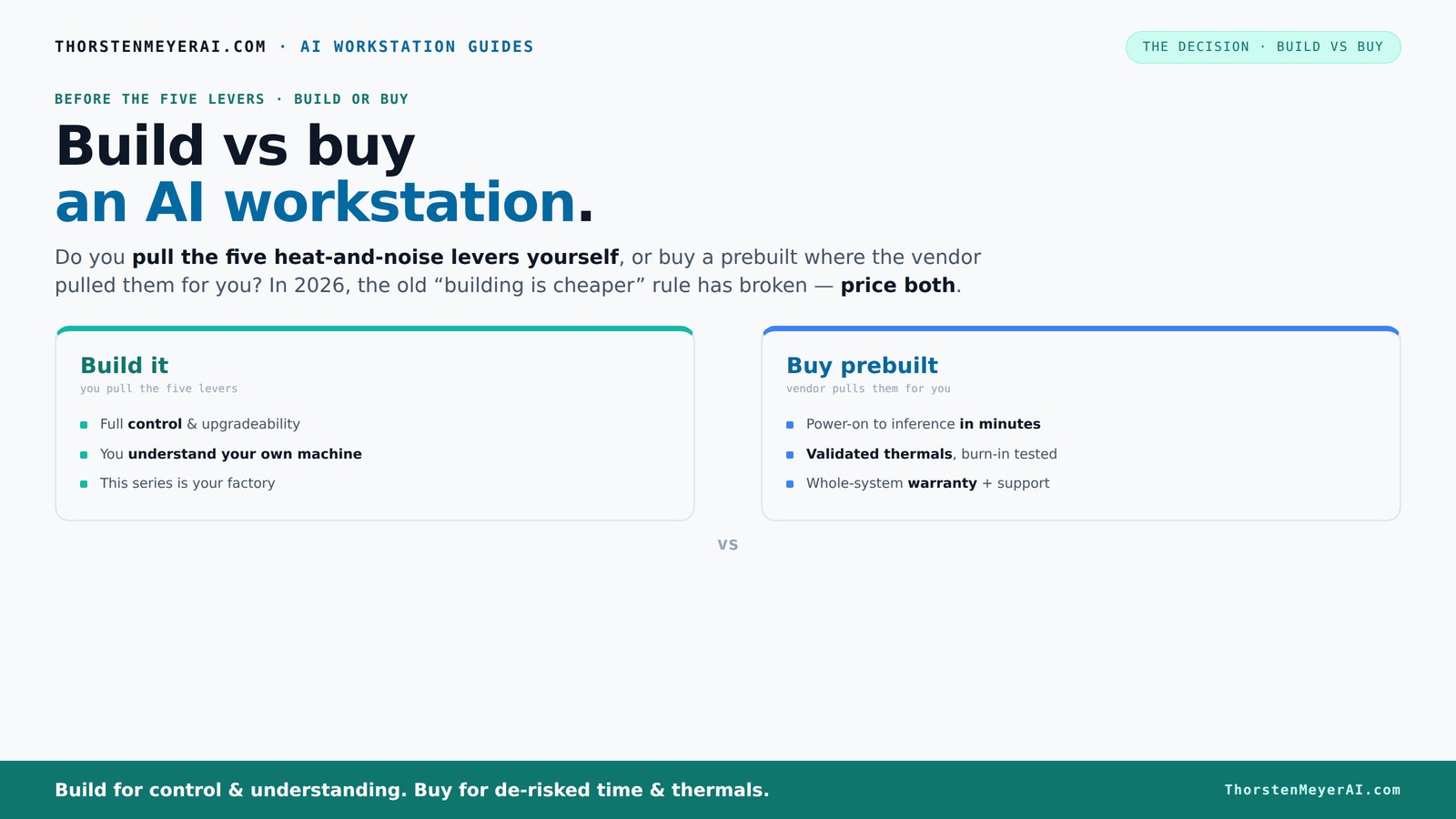
Build vs buy
an AI workstation.
The real question behind this whole series: do you pull the five heat-and-noise levers yourself, or buy a prebuilt where the vendor pulled them for you? And in 2026, the old “building is cheaper” rule has broken. Match your situation in Part 3.
Key Takeaways
- Component shortages in 2026 have leveled the playing field, making prebuilts just as affordable as DIY builds for many configurations.
- Prebuilts offer validated thermals, support, and quick deployment, reducing setup risk and downtime.
- Building provides maximum control over every component, ideal for customization, upgrading, and learning.
- Support and warranty are significant advantages of prebuilt systems, especially for critical or heavy workloads.
- Choose based on your workload, need for control, and how fast you want to start—there's no one-size-fits-all answer today.
As an affiliate, we earn on qualifying purchases.
Why the old ‘build is cheaper’ myth is dead in 2026
Building your own AI workstation used to be the purse-friendly choice, saving hundreds on parts. But today, component shortages and demand spikes have pushed prices sky-high. A build that once cost $1,000 now easily hits $1,250 or more, even before assembly.
Meanwhile, big vendors have bought in bulk—locking in lower prices—which lets them sell prebuilt systems at prices that are tough to beat. This shift means that the traditional cost advantage of DIY is no longer a given; in fact, it often requires more effort and patience to achieve comparable performance at a similar price point. The implication? Cost savings are less guaranteed, and the decision involves considering other factors like time, customization, and support. The tradeoff is that building now demands a deeper understanding of hardware compatibility, and the potential for unforeseen issues increases, making prebuilts a more attractive option for many users who prioritize reliability and speed.
Who pulls the five levers? The core of control and noise
Designing a quiet, cool AI workstation involves five main levers: undervolting the GPU, matching cooling solutions, optimizing airflow, tuning fan curves, and choosing the right placement.
When you buy a prebuilt, the vendor handles all this. They validate thermals, run burn-in tests, and tune fans for quiet, consistent operation—often including water cooling. It’s a factory-tuned machine, ready to perform under heavy loads. This approach minimizes the risk of thermal throttling and noise issues, ensuring stability and longevity of components, which is crucial during intensive AI workloads.
Build it yourself, and you’re in charge of every lever. You pick the GPU, cooler, case, and fans, then fine-tune everything. This allows you to optimize for specific workloads—perhaps aiming for maximum silence or peak cooling efficiency—but it requires expertise and time. For example, choosing a quieter GPU like the RTX 4090 with a custom water loop can significantly reduce noise and heat, but only if you understand thermal dynamics and are willing to invest the effort. The tradeoff is that DIY tuning can be complex and may lead to instability if not done correctly, whereas prebuilts offer a balanced, tested solution for most users.
When does a prebuilt make sense? The plug-and-play advantage
If your priority is launching your AI project quickly, a prebuilt system is the way to go. These systems come with OS, drivers, and AI frameworks (like CUDA, PyTorch) already installed. You just power on and start training.
For example, a vendor like Lambda offers systems tested for 24-48 hours under load, with validated thermal performance and a warranty. This testing ensures the system can handle sustained workloads without overheating or throttling, which is critical for maintaining performance during long training sessions. Additionally, prebuilt systems reduce setup time, allowing you to focus on your AI work instead of hardware troubleshooting. If you’re running multi-GPU setups or need guaranteed uptime, this reliability and support can significantly reduce downtime risk, making prebuilts a practical choice for production environments or time-sensitive projects.
Plus, support and warranty coverage mean you’re not left wrestling with driver conflicts or hardware failures—you call support, and they fix it. This reduces the technical burden and potential delays, which can be costly in AI development cycles.
When does building yourself pay off? The control and customization game
If you’re a hobbyist or a pro who loves fine-tuning, building your own AI workstation offers unmatched control. You select every component—CPU, GPU, RAM, storage—and can optimize for your workload. This level of customization can lead to better performance tailored precisely to your specific AI tasks, whether that’s optimizing for training large models or inference workloads. For more insights, visit Curious Minds.
For instance, choosing a GPU with more VRAM or a specialized cooling solution can improve performance and reduce noise levels, which is especially valuable in environments where silence or thermal efficiency is critical. You can learn more about building vs buying in AI workstations. Moreover, building your own system deepens your understanding of hardware interactions, enabling you to troubleshoot effectively and upgrade strategically, extending your system’s lifespan. The tradeoff? It demands time, effort, and knowledge, but it offers a sense of ownership and flexibility that prebuilt systems cannot match. For professionals and enthusiasts, this control can translate into incremental performance gains and cost savings over time, especially as hardware evolves and new components become available.
Frequently Asked Questions
Is it cheaper to build or buy an AI workstation in 2026?
In 2026, component shortages and bulk buying have made prebuilts competitive with DIY builds in many cases. The true cost depends on your specific configuration and how much time and effort you’re willing to invest. Always price both options for your exact needs.
Are prebuilt workstations worth the extra cost?
Absolutely, if you prioritize ready-to-use systems, warranty support, and validated thermals. For heavy workloads or multi-GPU setups, prebuilts reduce compatibility risks and save troubleshooting time. For hobbyists, DIY may still be more budget-friendly if you enjoy the process.
How much performance do I lose with a prebuilt?
Generally, little to none. Top-tier vendors tune their systems for maximum performance and thermal efficiency. Sometimes, a custom build can eke out small gains through advanced cooling or component choices, but for most users, prebuilts are more than sufficient.
What warranty/support do I get with a prebuilt system?
Most reputable vendors include several years of support, with on-site or remote troubleshooting, and warranties covering parts and labor. This support can be crucial for avoiding costly downtime during intense AI training or inference runs.
Should I buy an AI PC or a full workstation?
If your workload involves large models, multi-GPU setups, or heavy training, a dedicated AI workstation with multiple high-VRAM GPUs is best. For lighter inference or prototyping, an AI PC or even an NPU-enabled system might suffice, especially if you want quick deployment.
Conclusion
In 2026, the decision between build and buy is a matter of control versus convenience. If you value fine-tuning and ownership, building your own machine is still rewarding. But if speed, support, and reliability matter more, a prebuilt system can deliver top-tier performance with less hassle.
Picture a quiet, powerful AI rig humming smoothly—whether built or bought, that’s the goal. The real trick is knowing which path aligns with your skills, needs, and timeline.
Halloween Picks
halloween
As an affiliate, we earn on qualifying purchases.