
Coding toys for kids range from screen-free floor robots to buildable smart cars, and the right pick depends almost entirely on your child’s age and how much help they’ll get along the way. For most families, the Learning Resources Botley 2.0 Coding Robot Activity Set is the best overall choice because it teaches real sequencing and logic without any app or screen, and it grows with a child from age 5 through early elementary. Budget-conscious buyers should look at the Code & Go Robot Mouse, which delivers the same core concepts at a fraction of the complexity, while older kids ready for genuine programming will get more from the Makeblock mBot or the ELEGOO Smart Robot Car Kit. The biggest tradeoff in this category is between screen-free simplicity and long-term depth: the friendliest toys can feel limiting within a year, and the most powerful kits frustrate younger kids who just want to play. Keep reading for the full breakdown of all 13 picks, including who each one suits and who should skip it.

Get school and study supplies delivered free — and shop member deals
- Fast, free delivery on millions of items
- Access to Prime Big Deal Days deals on October 6–7
- Prime Video, Amazon Music and more included
Key Takeaways
- Learning Resources dominates the screen-free segment with four entries (Botley, Botley 2.0, Coding Critters, Code & Go), but the lineup is really a ladder: Coding Critters for preschoolers, Code & Go for early elementary, and Botley 2.0 as the one most kids can grow into.
- Buildable kits (Mech-5, Apitor 6-in-1, mBot, ELEGOO car) deliver far more long-term value than closed toys, but they all demand an adult nearby for first assembly — the difference between a 10-minute and a 3-hour setup is the single biggest satisfaction predictor in this roundup.
- The Sphero Mini and ELECFREAKS Retro Arcade appeal to kids motivated by play rather than robotics; they trade tactile learning for engagement, which matters if previous ‘educational’ toys collected dust.
- The standalone Botley and the Botley Activity Set differ mainly in accessories (77 pieces vs. none), and the activity set justifies its higher position only if your child will actually use the maze-building pieces — otherwise the base robot is the smarter buy.
- Age ratings here are honest, not marketing: the ELEGOO car kit genuinely suits 12+ with real wiring and Arduino code, while pushing a 8-year-old into it is the most common way these kits end up abandoned in a closet.
| Learning Resources Coding Critters Scamper & Sneaker |  | Best for the Youngest Coders | Included items: Scamper coding robot cat, Sneaker kitten, 22-piece playset, coding storybook, directional coding cards | Recommended age: Ages 3–7 | Screen requirement: None — fully screen-free | VIEW LATEST PRICE | See Our Full Breakdown |
| Teach Tech Mech-5 STEM Coding Robot Building Kit |  | Best Mechanical Engineering Pick | Recommended age: 10+ years | Programming method: Coding buttons on a mechanical coding wheel | Robot actions: Throwing, lifting, kicking, drawing, forward/backward movement, 360° rotation | VIEW LATEST PRICE | See Our Full Breakdown |
| Apitor STEM Coding Robot 6-in-1 Building Kit, 480 Pieces |  | Best Value Multi-Model Kit | Models: 6 buildable robots | Building pieces: 480 | Control module: 1 module with 2 high-speed motors | VIEW LATEST PRICE | See Our Full Breakdown |
| ELEGOO UNO R3 Smart Robot Car Kit V4 with Camera |  | Best Premium Pick for Teens | Controller board: ELEGOO UNO R3 | Camera / Wi-Fi module: ESP32-WROVER-based | Battery: 2000 mAh rechargeable lithium-ion | VIEW LATEST PRICE | See Our Full Breakdown |
| Learning Resources Code & Go Robot Mouse |  | Best Budget Screen-Free Starter | Recommended age: 4 years and up | Included: Robot mouse, 30 double-sided coding cards, activity guide | Controls: Push-button commands | VIEW LATEST PRICE | See Our Full Breakdown |
| Sphero Mini Green Coding Robot Ball |  | Best for Growing Into Real Code | Color: Green | Size: Approximately the size of a ping-pong ball | Sensors: Gyroscope and accelerometer | VIEW LATEST PRICE | See Our Full Breakdown |
| Learning Resources Botley the Coding Robot Activity Set, 77 Pieces | 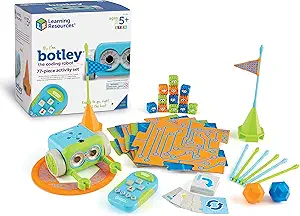 | Best Screen-Free Starter Kit | Recommended age: 5 years and up | Piece count: 77 | Power: 5 AAA batteries required (not included) | VIEW LATEST PRICE | See Our Full Breakdown |
| Learning Resources Botley the Coding Robot |  | Best Value Pick | Recommended age: 5 years and up | Programming capacity: Up to 80 steps | Programming method: Remote programmer, fully screen-free | VIEW LATEST PRICE | See Our Full Breakdown |
| Learning Resources Botley 2.0 Coding Robot Activity Set |  | Best for Sustained Challenge | Piece count: 78 | Screen required: No — no app or device needed | Features: 45° turns, object sensing, lights, sounds, music, and 16 secret code combinations | VIEW LATEST PRICE | See Our Full Breakdown |
| Thames & Kosmos My Robotic Pet: Coding Chameleon STEM Kit |  | Best Build-It-Yourself Option | Length: 15 inches | Sensors: Color sensor and infrared sensor | Lighting: RGB LEDs | VIEW LATEST PRICE | See Our Full Breakdown |
| Learning Resources Code & Go Robot Mouse Activity Set |  | Best Screen-Free Pick for Preschoolers | Age range: 4+ | Robot features: Lights, sounds, two speeds | Maze grids: 16 tiles (builds a 20 x 20 in board) | VIEW LATEST PRICE | See Our Full Breakdown |
| Makeblock mBot STEM Coding Robot Kit for Kids Ages 8–12 |  | Best Bridge to Real Programming | Recommended age: 8 years and up | Assembly time: About 15 minutes | Programming platforms: Scratch and Arduino | VIEW LATEST PRICE | See Our Full Breakdown |
| ELECFREAKS Retro Coding Arcade Programmable Handheld Game Console |  | Best for Game-Makers, Not Game-Players | Programming languages: Microsoft MakeCode blocks and Python | Display: 320 × 240 resolution | Controls: 8 directional buttons | VIEW LATEST PRICE | See Our Full Breakdown |
| coding toys for kid | Recommended age |
|---|---|
| Learning Resources Coding Crit | Ages 3–7 |
| Teach Tech Mech-5 STEM Coding | 10+ years |
| Apitor STEM Coding Robot 6-in- | 7–12 years |
| ELEGOO UNO R3 Smart Robot Car | 12 years and up |
| Learning Resources Code & Go R | 4 years and up |
| Sphero Mini Green Coding Robot | — |
| Learning Resources Botley the | 5 years and up |
| Learning Resources Botley the | 5 years and up |
| Learning Resources Botley 2.0 | — |
| Thames & Kosmos My Robotic Pet | 8+ with adult help; 12+ for independent play |
| Learning Resources Code & Go R | — |
| Makeblock mBot STEM Coding Rob | 8 years and up |
| ELECFREAKS Retro Coding Arcade | — |
More Details on Our Top Picks
Learning Resources Coding Critters Scamper & Sneaker
Most coding toys assume a kid can already read or handle an app, but Scamper & Sneaker goes the other direction entirely. This is purely screen-free, storybook-driven coding: kids lay out directional cards and guide a robot cat through playful narratives, which makes sequencing feel like pretend play rather than a lesson. Compared with the Code & Go Robot Mouse, the Coding Critters set skews younger and gentler — less button-pushing precision, more imagination. The tradeoff is ceiling: an early elementary kid who has already grasped if-then logic will outgrow these activities quickly, and parents should expect to sit alongside a first-timer to keep the story moving.
Pros:- Screen-free design that works for pre-readers
- Storybook format turns coding into imaginative play
- Coding cards teach directional sequencing in a tangible way
- Includes two characters and a 22-piece playset for extended play value
Cons:- Very low difficulty ceiling for older or experienced kids
- Needs adult involvement to get the most from the storybook activities
Best for: Parents of 3–6 year olds who want a first exposure to coding logic without screens or reading requirements
Not ideal for: Kids 7 and up or anyone past basic sequencing — the challenges are too simple to hold their attention
- Included items:Scamper coding robot cat, Sneaker kitten, 22-piece playset, coding storybook, directional coding cards
- Recommended age:Ages 3–7
- Screen requirement:None — fully screen-free
- Coding method:Directional coding cards
- Play format:Storybook adventures and hands-on games
- Skills taught:Sequencing, logic, problem-solving
Our verdict“A gentle, screen-free first step into coding logic for preschoolers — but plan on outgrowing it within a year or two.”
Teach Tech Mech-5 STEM Coding Robot Building Kit
The Mech-5 stands apart from app-driven kits like the Apitor 6-in-1 because the programming happens on a physical coding wheel: kids snap coding buttons onto it to choreograph throws, kicks, lifts, and drawings. That mechanical approach teaches how instructions become motion in the most literal way possible, and it needs no batteries or device at all. The price of that purity is time and patience — this is a multi-hour build, and a misaligned part means the robot simply won’t work until it’s fixed. For a ten-year-old who likes taking things apart, that debugging process is the point. For a kid who wants instant robot action out of the box, Botley or the Robot Mouse will be far more satisfying.
Pros:- No batteries or smart device required — purely mechanical operation
- Teaches both mechanical engineering and programming logic in one kit
- Coding wheel makes cause-and-effect visible and tactile
- Wide range of programmable actions including throwing, lifting, kicking, and drawing
Cons:- Multi-hour assembly time before any play begins
- Build errors directly cause malfunctions, which can frustrate less careful builders
Best for: Tweens 10+ who love building things with their hands and want to understand the mechanics behind coding
Not ideal for: Impatient kids or gift-givers wanting instant play — the multi-hour assembly must be completed before any coding happens
- Recommended age:10+ years
- Programming method:Coding buttons on a mechanical coding wheel
- Robot actions:Throwing, lifting, kicking, drawing, forward/backward movement, 360° rotation
- Assembly:Build-it-yourself kit with step-by-step instructions
- Build time:Multiple hours
- Power:No batteries required
- Skills taught:Coding, programming, problem solving, STEM
Our verdict“The pick for hands-on builders who want to see how code physically becomes motion — if your kid has the patience to build it first.”
Apitor STEM Coding Robot 6-in-1 Building Kit, 480 Pieces
Where most kits in this roundup build one robot, the Apitor 6-in-1 stretches a single box across six rebuildable models, giving it serious replay value for the 7–12 range. Snap-together blocks mean no screws or tools, and the Bluetooth app adds four control modes — including gyro and path drawing — that introduce coding concepts without the text-based complexity of something like the ELEGOO UNO R3 car. The tradeoffs are practical: three AA batteries come out of your wallet separately, and the whole experience depends on having a compatible tablet or phone. Compared with the Teach Tech Mech-5, it trades mechanical depth for variety and app-based interactivity, which makes it a better fit for kids who like changing projects more than perfecting one.
Pros:- Six distinct robot models from one 480-piece set
- Four app control modes including gyro and path coding
- Tool-free assembly with snap-together blocks
- Control module includes two motors and multicolor LED lights
Cons:- Requires 3 AA batteries that aren’t included
- Cannot be used without a compatible smart device and the app
Best for: Kids 7–12 who get bored with a single build and families wanting maximum models per dollar
Not ideal for: Households avoiding screen time or without a spare Bluetooth device — the app is required, not optional
- Models:6 buildable robots
- Building pieces:480
- Control module:1 module with 2 high-speed motors
- Lights:2 multicolor LEDs
- App control modes:Dual-motor, single-motor, gyro, path
- Connectivity:Bluetooth
- Batteries:3 AA (not included)
- Recommended age:7–12 years
Our verdict“The best bang-for-buck choice for kids who want variety — just make sure a device and batteries are on hand.”
ELEGOO UNO R3 Smart Robot Car Kit V4 with Camera
This is the most technically ambitious option here — a genuine Arduino-programmable robot car with live FPV camera video, line tracking, ultrasonic obstacle avoidance, and auto-follow behavior. Compared with the Makeblock mBot or the Apitor kit, the ELEGOO car sits a tier above: kids write real code in Arduino IDE, which makes it a legitimate on-ramp to actual programming rather than toy-style block coding. That ambition cuts both ways. Assembly and programming demand real effort, the 12+ age rating is honest, and adult guidance is wise for a first-time builder. A rechargeable 2000 mAh battery and keyed connectors ease the pain, but this is a project kit, not a toy — it belongs with a teen who genuinely wants to tinker.
Pros:- Real Arduino IDE programming teaches transferable coding skills
- FPV camera, line tracking, obstacle avoidance, and auto-follow features
- Keyed connectors and guided tutorials support first-time builders
- Rechargeable 2000 mAh lithium-ion battery included
Cons:- Requires substantial assembly and programming effort
- Adult guidance recommended for beginners, adding to time commitment
Best for: Teens 12+ and STEM-minded families ready for real Arduino programming and multi-session projects
Not ideal for: Younger kids or anyone expecting out-of-the-box robot fun — assembly and coding knowledge are required
- Controller board:ELEGOO UNO R3
- Camera / Wi-Fi module:ESP32-WROVER-based
- Battery:2000 mAh rechargeable lithium-ion
- Control:ELEGOO app and IR remote
- Features:FPV video, line tracking, obstacle avoidance, auto follow
- Programming:Arduino IDE
- Recommended age:12 years and up
- Warranty:Half year
Our verdict“A true robotics project rather than a toy — the right pick for a motivated teen ready to write real code.”
Learning Resources Code & Go Robot Mouse
The Code & Go Robot Mouse delivers the core coding-toy experience — plan a sequence, press the buttons, watch it run — at the lowest complexity in this lineup. Kids as young as four can program the mouse with push-button commands, and the 30 double-sided cards plus activity guide give structure that the younger-skewing Coding Critters handles through stories instead. Lights, sounds, and two speeds provide immediate feedback when a program succeeds or flops, which is where the real learning happens. Two honest drawbacks: you’ll need to supply 3 AAA batteries, and the maze-grid activity set that makes sequencing challenges much richer is a separate purchase, so the standalone mouse can feel limited after the first week.
Pros:- Screen-free push-button coding accessible to preschoolers
- 30 double-sided coding cards and an activity guide included
- Lights, sounds, and two speeds give instant feedback on programs
- Builds sequencing and problem-solving fundamentals
Cons:- Requires 3 AAA batteries not included
- The expanded maze activity set is sold separately, limiting standalone play
Best for: Families wanting an affordable, screen-free introduction to sequencing for ages 4 and up
Not ideal for: Kids seeking lasting challenge — without the separately sold activity set, play options run thin quickly
- Recommended age:4 years and up
- Included:Robot mouse, 30 double-sided coding cards, activity guide
- Controls:Push-button commands
- Feedback features:Lights, sounds, two speeds
- Screen requirement:None — fully screen-free
- Batteries:3 AAA (not included)
Our verdict“A dependable, low-cost first coding toy for young kids — pair it with the activity set for lasting value.”
Sphero Mini Green Coding Robot Ball
Most coding toys top out at drag-and-drop blocks, but the Sphero Mini builds a genuine runway: kids start by drawing paths, graduate to coding blocks, and eventually write actual JavaScript in the free Sphero Edu app. That three-step progression makes it the rare pick in this lineup that a 7-year-old and a 13-year-old can use differently. Compared with Botley, it trades screen-free simplicity for a much longer skill ceiling — you’ll need a compatible phone or tablet, and play sessions end when the roughly one-hour battery runs dry. The included bowling pins and traffic cones give kids immediate games to code around rather than staring at a blank canvas. Just know it’s tiny and rolls under furniture constantly.
Pros:- Progresses from drawing to blocks to actual JavaScript, giving years of skill runway
- Bowling pins and traffic cones create instant, structured play scenarios
- Gyroscope and accelerometer enable tilt and motion-based coding projects
- Dual apps separate learning (Sphero Edu) from pure fun (Sphero Play)
Cons:- Battery tops out around one hour, limiting longer coding sessions
- Requires a compatible phone or tablet and app downloads
- Ping-pong-ball size means it disappears under furniture and couches
Best for: Families who want a coding toy that scales from beginner block coding to real JavaScript over several years
Not ideal for: Households avoiding screen time or without a spare compatible mobile device, since the ball is useless without the app
- Color:Green
- Size:Approximately the size of a ping-pong ball
- Sensors:Gyroscope and accelerometer
- Lighting:Colorful LED lights
- Coding methods:Drawing, drag-and-drop blocks, and JavaScript
- Compatible apps:Sphero Edu and Sphero Play
- Included accessories:3 traffic cones and 6 bowling pins
- Play time:Up to 1 hour per charge
Our verdict“The right pick if you want one coding toy that stays challenging as your child’s skills grow into real programming.”
Learning Resources Botley the Coding Robot Activity Set, 77 Pieces
For parents wary of handing a five-year-old a tablet, the Botley Activity Set is the strongest screen-free entry point in this roundup. Kids program sequences on a chunky remote programmer, then watch Botley navigate mazes they’ve built from 27 obstacle pieces. Compared with the Sphero Mini, everything here happens physically — no device, no app, no accounts — which makes it far better for classrooms and sibling play. It also goes beyond simple commands with object detection, looping, and black-line following, so the logic lessons are real. The tradeoff is a closed ceiling: once kids master the included challenges, there’s no bridge to text-based coding the way Sphero offers. And budget for five AAA batteries, which aren’t in the box.
Pros:- Completely screen-free — no phone, tablet, or app needed
- 77 pieces let kids build their own mazes and obstacle courses
- Teaches loops, if/then logic, and object detection, not just simple steps
- Black-line following adds a distinct second mode of play
Cons:- Requires 5 AAA batteries that are not included
- No pathway to block- or text-based coding as kids advance
- Remote programmer is easy for siblings to misplace
Best for: Parents and teachers of kids 5–8 who want genuine coding logic with zero screen time
Not ideal for: Families with older kids ready for app-based or text coding, since Botley’s programming depth plateaus early
- Recommended age:5 years and up
- Piece count:77
- Power:5 AAA batteries required (not included)
- Programming method:Dedicated remote programmer, no screen
- Features:Object detection, black-line following, looping commands
- Included components:Remote programmer, detachable robot arms, 40 coding cards, 6 double-sided tiles, 27 obstacle pieces, starter guide
Our verdict“The most complete screen-free introduction to coding logic for young elementary kids, provided you accept its fixed skill ceiling.”
Learning Resources Botley the Coding Robot
This is the core Botley robot without the big accessory bundle — same screen-free programming, same up to 80-step sequences, same sequencing, loops, and if/then logic. If your child already has blocks, painter’s tape, or household objects to build obstacle courses around, this version delivers nearly all of the Activity Set’s learning at a lower commitment, making it the smart budget play. Compared with the Activity Set, you give up the maze tiles and obstacle pieces, so early sessions need more parental setup creativity. And next to the Code & Go Robot Mouse, Botley feels more capable: it handles longer programs and conditional logic rather than simple directional steps. It’s the entry point I’d point budget-conscious gift-givers toward.
Pros:- Same core Botley programming and logic features as the pricier activity set
- Handles sequences up to 80 steps for genuinely complex challenges
- Still completely screen-free with a simple remote programmer
- Coding cards and detachable arms included for basic activities
Cons:- Lacks the boards, tiles, and obstacle pieces that make the Activity Set self-contained
- Programming is impossible if the remote programmer gets lost
- Skill ceiling is low compared with app-based options like the Sphero Mini
Best for: Budget-conscious buyers who want proven screen-free coding logic without paying for a large accessory bundle
Not ideal for: Kids who need ready-made structure — without the maze tiles and obstacles, parents must invent the challenges
- Recommended age:5 years and up
- Programming capacity:Up to 80 steps
- Programming method:Remote programmer, fully screen-free
- Learning features:Sequencing, loops, and if/then logic
- Included items:Botley robot, remote programmer, detachable arms, 40 coding cards, tiles, and obstacles
Our verdict“The best price-to-learning ratio for screen-free coding, as long as you’re willing to build your own obstacle courses.”
Learning Resources Botley 2.0 Coding Robot Activity Set
Botley 2.0 is what happens when Learning Resources answers the biggest complaint about the original: the skill ceiling. This version adds 45° turns for diagonal navigation, 16 secret code combinations that unlock hidden tricks, and music and light effects that keep younger kids engaged between coding puzzles. Where the first Botley tends to be mastered within weeks, the progression from simple routes to multi-step, object-sensing challenges stretches the toy’s useful life considerably. Like its sibling, it remains entirely screen-free, and the 78-piece set with six double-sided boards makes it more self-contained than the bare Botley. The honest drawback is spatial: those boards and stackable obstacles need real floor space, which makes it awkward for apartments or crowded playrooms.
Pros:- 45° turns enable far more intricate maze designs than the original Botley
- 16 secret code combinations reward exploration and extend replay value
- Object sensing creates conditional-logic challenges kids can’t outgrow quickly
- Fully self-contained with boards, cards, and obstacles — no app or screen
Cons:- Demands significant floor space for boards and obstacle layouts
- Higher cost than the original Botley for features younger kids may not use yet
- Still capped at remote-programmer coding with no bridge to block or text coding
Best for: Families who loved (or outgrew) the original Botley and want deeper, longer-lasting challenges
Not ideal for: Small living spaces, since arranging boards and obstacles requires a generous stretch of floor
- Piece count:78
- Screen required:No — no app or device needed
- Features:45° turns, object sensing, lights, sounds, music, and 16 secret code combinations
- Challenge progression:Simple routes to multi-step paths and object-sensing tasks
- Included components:Coding robot, remote programmer, 40 coding cards, 6 double-sided boards, and stackable obstacle pieces
Our verdict“The screen-free pick with the longest tail — worth the upgrade if your child has already burned through simpler coding robots.”
Thames & Kosmos My Robotic Pet: Coding Chameleon STEM Kit
The Coding Chameleon takes a different route than every robot above: kids build the toy themselves before coding it, assembling a 15-inch articulated chameleon with a color sensor that changes its RGB skin to match surfaces, plus a snapping tongue mechanism. That construction phase is where the real STEM learning happens — the 48-page manual teaches robotics and engineering concepts that pre-built bots like Botley 2.0 never touch. Coding itself uses physical action cards across three modes (Coding, Wild, and Pet), keeping it screen-free but simpler than Sphero’s block-to-JavaScript ladder. The tradeoff is age: kids 8+ will need an adult for assembly, and the whole experience front-loads effort before the fun begins. For patient builders, that’s the point.
Pros:- Building phase teaches mechanical engineering and assembly skills no pre-built robot offers
- Color-sensing chameleon that mimics surfaces creates a genuine wow factor
- Three play modes (Coding, Wild, Pet) keep the toy useful after the build
- 48-page manual introduces real robotics concepts alongside the fun
Cons:- Assembly realistically requires adult help for the 8+ target age
- Action-card coding is shallower than app-based options like the Sphero Mini
- Hours of build time before a child can actually play with the finished pet
Best for: Kids 8 and up (with a helping adult) who learn best by building things, not just programming them
Not ideal for: Younger children or families wanting instant play, since assembly is required before any coding happens
- Length:15 inches
- Sensors:Color sensor and infrared sensor
- Lighting:RGB LEDs
- Play modes:Coding, Wild, and Pet
- Manual:48 pages covering assembly and robotics concepts
- Screen-free:No screens, devices, or software required
- Recommended age:8+ with adult help; 12+ for independent play
Our verdict“The best choice when you want the engineering of building and the logic of coding in one screen-free afternoon project.”
Learning Resources Code & Go Robot Mouse Activity Set
Among the youngest-skewing options in this lineup, this set stands out for teaching genuine sequencing and logic without any screen at all. Where the Learning Resources Botley the Coding Robot Activity Set offers similar screen-free coding with more autonomous roaming, the Code & Go mouse relies on simple button-press programming, which makes the cause-and-effect of each command more visible to a four-year-old. The 16 grid tiles, 22 walls, and 30 double-sided coding cards let you rebuild fresh maze challenges for months, and the 10 activity cards give parents who aren’t teachers a ready-made curriculum. Compared with the Makeblock mBot, it trades electronics tinkering for pure logic play — a fair trade at this age. The tradeoff: it needs 3 AAA batteries that aren’t in the box, and the appeal fades fast once kids outgrow maze logic around age seven.
Pros:- Teaches sequencing and logic with zero screen time
- Maze grids, walls, and coding cards create endlessly repeatable challenges
- Activity cards give non-educator parents a ready lesson plan
- Well suited to classrooms, homeschool co-ops, and sibling group play
Cons:- Requires 3 AAA batteries that are not included
- Concept ceiling is low — most kids outgrow maze-only coding within a couple of years
Best for: Parents and preschool teachers of ages 4–6 who want screen-free, structured logic play that works for group settings
Not ideal for: Kids 8 and up who already understand sequencing — they’ll find button-based mazes repetitive next to buildable kits like the Apitor 6-in-1
- Age range:4+
- Robot features:Lights, sounds, two speeds
- Maze grids:16 tiles (builds a 20 x 20 in board)
- Maze walls:22
- Tunnels:3
- Coding cards:30 double-sided
- Activity cards:10 double-sided
- Batteries:3 AAA (not included)
Our verdict“This is the pick for families who want a true first coding experience for a preschooler, without handing a tablet to a four-year-old.”
Makeblock mBot STEM Coding Robot Kit for Kids Ages 8–12
This model makes the most sense for the pivotal moment when a child is ready to move from toys to actual programming platforms. Unlike the screen-free Code & Go Robot Mouse, the mBot connects to Scratch and Arduino, meaning kids write code that visibly drives line following, obstacle avoidance, and remote control — the same progression real engineers follow. Assembly in roughly 15 minutes hits a sweet spot: hands-on enough to feel earned, short enough to avoid the frustration of bigger builds like the ELEGOO Smart Robot Car Kit, which demands far more soldering-adjacent patience. The expansion path is the real differentiator — compatibility with 100+ Makeblock modules and LEGO parts means this grows for years. The drawbacks are real, though: none of the five required batteries are included, and kids who want a toy out of the box rather than a project may stall at the setup stage.
Pros:- Supports both Scratch (visual) and Arduino (text-based) programming
- Quick ~15-minute build keeps kids engaged before interest fades
- Line following, obstacle avoidance, and remote control give code immediate physical results
- Expandable with 100+ Makeblock modules, 500+ parts, and LEGO components
Cons:- All required batteries (4 AA plus a CR2025) are excluded
- Dependent on apps and a device, so it isn’t a screen-free activity
- Younger or less patient kids may lose interest during setup
Best for: Ages 8–12 who have outgrown entry-level coding toys and are ready for Scratch or Arduino with room to expand
Not ideal for: Kids under 8 or families wanting instant play — assembly, apps, and battery shopping mean this isn’t fun until setup is done
- Recommended age:8 years and up
- Assembly time:About 15 minutes
- Programming platforms:Scratch and Arduino
- Functions:Remote control, line following, obstacle avoidance
- Compatibility:Makeblock add-on packs, 100+ electronic modules, 500+ parts, LEGO parts
- Power:4 AA batteries (robot), 1 CR2025 (remote); not included
- Model:90053
Our verdict“The strongest choice for an 8-to-12-year-old ready to graduate from button-coding toys to real, expandable programming platforms.”
ELECFREAKS Retro Coding Arcade Programmable Handheld Game Console
Every other pick in this roundup codes a robot; this one codes the games themselves. That reframing matters for kids whose motivation is creative storytelling rather than machinery — designing characters, scenes, and storylines in MakeCode blocks or Python on a 320 × 240 handheld screen. Compared with the Makeblock mBot, it trades physical robotics entirely for software creation, and unlike the Sphero Mini, it needs no phone as a controller — the eight directional buttons and built-in gyroscope, buzzer, and vibration motor make it self-contained. The honest tradeoff is the flip side of its premise: this is a creation tool, not an entertainment console. A child expecting a library of preloaded games will be disappointed within minutes, and Python’s text-based jump will frustrate kids who haven’t yet mastered block coding on the mBot or similar platforms.
Pros:- Supports both MakeCode block programming and Python for a natural skill progression
- Built-in gyroscope, photocell, buzzer, and vibration motor enable creative sensor projects
- Fully self-contained — no phone or tablet needed to program or play
- Tutorials and lesson materials help beginners get started
Cons:- Virtually no preloaded games, so motivation must come from building
- Python mode is a steep jump for kids still new to block coding
- No robotics or physical-building component for hands-on tinkerers
Best for: Kids roughly 9 and up who are motivated by making their own games and characters rather than controlling hardware
Not ideal for: Anyone buying it as a game console — it has almost nothing to play until the user builds the games themselves
- Programming languages:Microsoft MakeCode blocks and Python
- Display:320 × 240 resolution
- Controls:8 directional buttons
- Built-in components:Buzzer, photocell, gyroscope, vibration motor
- Shell materials:ABS and PC
- Format:Handheld programmable game console
Our verdict“Choose this for a kid who wants to author games, not just play them — and skip it if the goal is robots or instant entertainment.”
How We Picked
I evaluated each toy against four criteria that actually predict whether it gets used past week two. Learning curve and age fit came first: a coding toy that is too advanced teaches frustration, not programming, so I weighed how quickly a child could reach a first successful result with minimal adult intervention. Depth and growth potential came second — whether the toy offers harder challenges, custom code, or expansion options once the basics click, or whether it is effectively mastered in a weekend.
Build quality and independence from screens were the third filter, since flimsy parts and app dependencies both shorten a toy’s lifespan in different ways. Finally, I judged value relative to complexity: a cheap toy that teaches one concept well can beat an expensive kit that does everything poorly. The ranking favors toys that balance immediate fun with genuine skill-building, which is why the screen-free robots cluster near the top for younger kids and the buildable kits lead for older ones.
Factors to Consider When Choosing Coding Toys For Kids
Before picking a specific toy, it helps to understand what actually separates a coding toy that gets played with from one that gets shelved. These are the factors I weighed most heavily, and the ones most buyers get wrong.Match the Toy to the Child’s Actual Age, Not the Box Range
Manufacturers print wide age ranges to widen the buyer pool, and it is the most common source of disappointment in this category. A toy rated 5–10 is really a 5–7 toy; a kit rated 8–12 usually needs a 10-year-old or a hands-on parent. The reason is developmental: kids under about 7 struggle with multi-step symbolic reasoning, so they thrive with physical, immediate-cause-and-effect toys like a robot mouse they push along a path. Kids 8 and up can handle block-based logic and simple if-then structures, and kids 10+ can manage real assembly, wiring, and eventually text code. When in doubt, buy down, not up — a too-easy toy still gets played with, while a too-hard one creates a negative association with coding that can last for years.
Screen-Free Versus App-Based Is a Real Fork in the Road
Coding toys split into two philosophies: screen-free toys where kids press buttons on the robot itself, and app-connected toys where kids drag blocks on a tablet. Screen-free options like Botley teach sequencing more slowly but more concretely, and they work anywhere — the kitchen floor, a restaurant, a car. App-based options like Sphero Mini and the mBot teach concepts closer to real programming and allow more complexity, but they hand your child a device, require battery management across two products instead of one, and die entirely if the app stops being updated. If you are deliberately limiting screen time, treat this as a hard filter, not a preference — several excellent app-based toys in this list are simply wrong for screen-limited households.
Know What You’re Signing Up For With Buildable Kits
Kits like the Apitor 6-in-1, Mech-5, mBot, and the ELEGOO car require assembly before any coding happens, and the time commitment varies from 30 minutes to several hours. This is either the whole point or a dealbreaker: building the robot is where older kids learn mechanical reasoning, and many families find it more valuable than the coding itself. But if you are buying for a child who wants instant gratification, a buildable kit will sit half-assembled in a box. Check whether the kit needs tools, whether the instructions are app-based or paper, and whether pieces are reusable across multiple builds — multi-model kits stretch value far beyond single-build robots. Also verify what device the kit requires before buying, because a few assume a laptop the family may not have.
Battery Logistics Make or Break Daily Use
This is the unglamorous factor nobody thinks about until the toy is dead on day three. Some robots use replaceable AAAs, which is cheap and instant; others use built-in rechargeables, which is greener but means downtime and eventual battery degradation. App-based toys add a second battery problem — the tablet — and if both die mid-session, the toy is unusable. My advice: for young children, favor replaceable-battery robots and buy a pack of rechargeable AAs; for older kids doing longer sessions, built-in rechargeables with USB-C are fine. Also check whether the toy holds its charge in storage, because a robot that drains while sitting in a closet gets rediscovered dead and forgotten.
Block Coding, Text Coding, or None at All
The ‘coding’ in coding toys spans a wide spectrum, and knowing where your child is on it prevents wasted money. At the bottom, toys like Coding Critters and Code & Go teach sequencing and directionality — the precursor skills, not programming itself. In the middle, block-based platforms like Scratch (used by mBot, Sphero, and the ELEGOO kit) teach genuine logic: loops, conditionals, variables. At the top, the ELEGOO car exposes kids to actual Arduino C++, which is a real transferable skill but a steep jump. The mistake to avoid is skipping the middle layer: a child who goes from a robot mouse straight to text code usually bounces off hard. Block coding is the bridge, and a toy that supports both block and text modes — as the mBot does — buys you the longest runway.
Solo Play Versus Parent-Child Projects
Be honest about who will be in the room. Some of these toys — Botley, the Code & Go Mouse, Sphero Mini — are designed for a child to use independently within minutes, which makes them good gifts from relatives who will not be there to help. Others, particularly the ELEGOO car and the Apitor kit, are effectively collaborative projects that assume an adult reads the instructions and troubleshoots alongside the child. Neither is wrong, but mismatched expectations are the top reason for negative experiences with STEM kits. If you want a bonding activity, buy up in complexity; if you need a toy that entertains while you make dinner, buy for independence. And if siblings will share, favor multi-model kits and toys with many challenge cards, since they resist the ‘been there’ drop-off.
Frequently Asked Questions
Is Botley 2.0 worth the extra cost over the original Botley?
Botley 2.0 adds more programmed moves, nighttime light effects, and additional built-in games, but the core coding experience — button-based sequencing on the robot itself — is nearly identical. If your child is under 6 or this is a first coding toy, the original Botley covers the same developmental ground and leaves budget for the activity set accessories, which add more play value than the 2.0’s extra features. Botley 2.0 makes more sense for families who already know the toy will be a hit and want the longer content runway. One practical difference: buying the original with the activity set typically beats buying the 2.0 alone, because the maze pieces and obstacle course are what turn a demo into months of open-ended play.
Can an 8-year-old handle the Makeblock mBot, or should I wait?
Assembly is realistic for most 8-year-olds with an adult nearby for the first build — the mBot was designed with roughly 30-minute assembly in mind, and the pieces are large and forgiving. The bigger question is the coding side: an 8-year-old can absolutely drag block commands in the mBlock app (it is built on Scratch), but an adult usually needs to handle the Bluetooth pairing, app setup, and firmware updates on first run. If your child has used Scratch at school or has done any LEGO-style building independently, the mBot is a strong fit at 8. If not, spending six more months with a screen-free option like Botley first tends to produce a smoother entry into app-based programming.
Do screen-free coding toys actually teach coding, or are they just toys?
They teach the genuine foundations — sequencing, debugging, loops as repeated commands, and the idea that a plan executes exactly as written, errors included. What they do not teach is syntax, variables, or any transferable programming language, so think of them as the prerequisite layer rather than a substitute. Research on early computational thinking generally supports this staging: kids who internalize step-by-step logic physically tend to pick up block coding faster later. The practical ceiling is real, though — most children exhaust a screen-free robot’s challenges within a year or two, at which point the toy’s job is done and an app-based or buildable kit is the natural next step. Buying both stages at once rarely works; the second toy just waits in a closet.
Which of these toys work without a tablet or smartphone?
The entire Learning Resources lineup — Botley, Botley 2.0, Coding Critters, and both Code & Go Robot Mouse sets — is fully screen-free, with all programming done through buttons on the device. The Thames & Kosmos Coding Chameleon is also built around physical button programming. Everything else in this roundup requires an app at minimum: the Sphero Mini needs a device to drive and program it, the mBot and Apitor kits need one for block coding, and the ELEGOO car works best with a computer for uploading code. The ELECFREAKS Retro Arcade is the exception in the other direction — it is itself a handheld screen, so no external device is needed, but it is not screen-free in the strict sense. If avoiding screens is a household rule, restrict your choice to the first group.
What’s the best coding toy if my child gets bored of toys quickly?
Novelty-resistant kids fall into two camps, and the answer differs for each. If your child bores of limited, closed-ended toys, buy a multi-model buildable kit like the Apitor 6-in-1 or the mBot with expansion potential, because rebuilding and reprogramming creates genuinely new experiences rather than repeating the same demo. If your child bores of anything that feels like homework, buy a play-first option like the Sphero Mini or the ELECFREAKS Retro Arcade — the coding arrives disguised inside games they already want to play. The one strategy that reliably fails with easily-bored kids is buying the most ‘educational’ option on the shelf; engagement is the gate, and learning only walks through it. Activity sets with many challenge cards also help, because a fresh challenge each session resets the novelty clock without buying a new toy.
Conclusion
After comparing all 13, the decision comes down to your child’s age and your tolerance for screens and assembly. Best overall goes to the Botley 2.0 Activity Set: it hits the rare balance of instant playability, screen-free operation, and enough challenge depth to last through early elementary. For best value, the Code & Go Robot Mouse delivers the core sequencing logic at an entry-level price, and its Activity Set sibling adds maze play if budget allows a little more.
For beginners — especially preschoolers — the Coding Critters Scamper & Sneaker is the gentlest possible on-ramp, with play-mode coding that requires zero instruction. On the premium end, the ELEGOO UNO R3 Smart Robot Car Kit is the most capable pick here, genuinely teaching Arduino programming, but only for kids 12 and up with an adult willing to help. For the middle-ground builder ages 8–12, the Makeblock mBot is the strongest all-around kit, pairing forgiving assembly with the longest coding runway via Scratch and beyond. And for kids motivated by play rather than robotics, the Sphero Mini or the ELECFREAKS Retro Arcade smuggle real programming into formats they already love. Whichever you choose, buy for the child in front of you — not the engineer you hope they become — and the toy will do its job.
Fall Picks
fall essentials
As an affiliate, we earn on qualifying purchases.