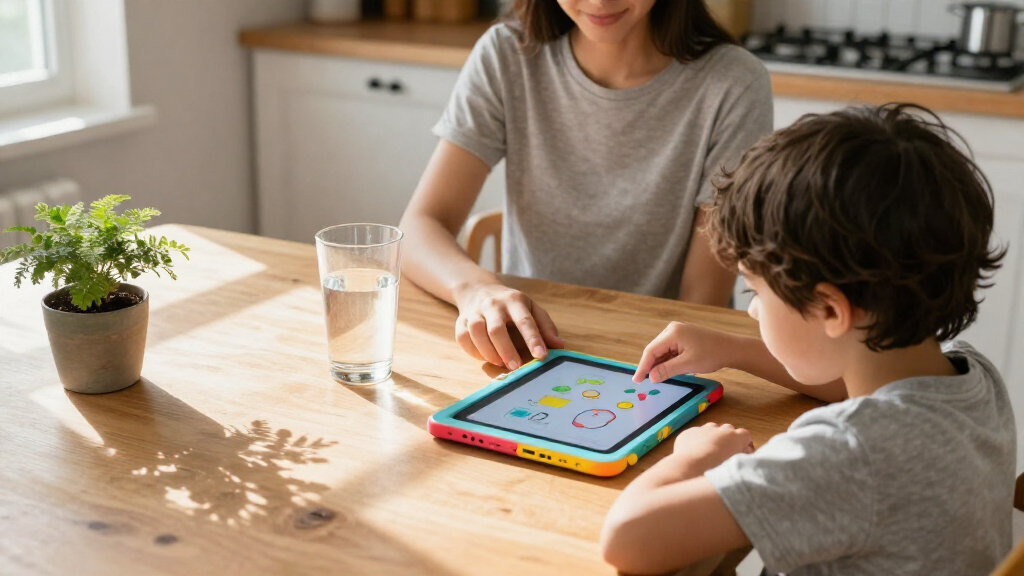
The best educational tablet for most kids in this lineup is the Amazon Kids Tablet 11, which pairs an 11-inch high-resolution screen with a kids-focused subscription and bumper. For a more purpose-built learning experience, the LeapFrog LeapPad Academy stands out; the Evermyth 10-Inch is a flexible alternative for drawing and varied activities thanks to its included stylus. The main tradeoff is between a guided, child-focused experience and the broader app flexibility of Android tablets, alongside differences in screen size, durability, and setup. Families should also check subscription terms, parental controls, and whether a tablet’s learning content suits their child’s age. Read on for how all 10 options compare and which one fits your household.

Prime made for students and young adults
- Fast, free delivery for dorm and study essentials
- Prime Video and Amazon Music included
- Member-only deals
Key Takeaways
- Amazon Kids Tablet 11 leads for a ready-made family setup: its large, high-resolution display, included bumper, and one-year Kids+ subscription distinguish it from the Android models, though families should check what happens when the subscription ends.
- LeapFrog’s Academy is the clearest specialist learning pick: it is a more focused choice than the general-purpose Android tablets, but offers less flexibility for families who want a broad app ecosystem.
- Seven-inch models prioritize portability, not screen room: the PEICHENG and ICONLINK Q8K share Android 12, 4GB RAM, and 32GB storage, making them compact alternatives to the lineup’s larger 10- and 11-inch screens.
- Several Android models share similar headline specs: the EDDBNi, Evermyth, and COLORROOM options list 64GB storage, so buyers should compare extras like the stylus, case, and parental controls rather than assuming storage alone sets them apart.
- A newer Android version does not settle the learning question: the EDUAITABLET lists Android 16, but parents still need to check app suitability, content quality, and the controls available for their child.
| LeapFrog LeapPad Academy Kids’ Learning Tablet, Green |  | Best for Structured Learning | Operating system: Android 10 | Screen: 7-inch shatter-safe display | Recommended age: 3–8 years | VIEW LATEST PRICE | See Our Full Breakdown |
| PEICHENG 7-Inch Kids Tablet, Android 12, 4GB RAM, 32GB Storage, Blue |  | Best Compact Android Pick | Operating system: Android 12 | Display: 7-inch IPS, 1024 × 600 | Memory: 4GB (2GB + 2GB expansion) | VIEW LATEST PRICE | See Our Full Breakdown |
| LeapFrog LeapPad Academy Kids’ Learning Tablet, Pink |  | Best for Early Learners Who Prefer Pink | Operating system: Android 10 | Screen size: 7 inches | Recommended age: 3–8 years | VIEW LATEST PRICE | See Our Full Breakdown |
| EDUAITABLET K10D-002 10.1-Inch Kids Tablet, Android 16, Teal |  | Best for Shared Screen Learning | Operating system: Android 16 | Processor: UNISOC T7200 octa-core, 1.8 GHz | Display: 10.1-inch IPS, 1280 × 800 | VIEW LATEST PRICE | See Our Full Breakdown |
| EDDBNi K10 Kids Tablet, 10.1-Inch HD, Android 15, 64GB Storage, Protective Case and Parental Controls |  | Best for Built-In Storage | Operating system: Android 15 | Display: 10.1-inch HD IPS, 1280 × 800 | Processor: Quad-core | VIEW LATEST PRICE | See Our Full Breakdown |
| Evermyth 10-Inch Android 16 Kids Tablet with Stylus and Protective Case, 64GB Storage |  | Best for Drawing and Hands-On Learning | Operating system: Android 16 | Display: 10 inches | Processor: A333, up to 1.8GHz | VIEW LATEST PRICE | See Our Full Breakdown |
| COLORROOM 10.1-Inch Android 15 Kids Tablet, 10GB RAM, 64GB Storage, Pink |  | Best for Everyday Family Learning | Operating system: Android 15 | Display: 10.1 inches, 1280 × 800 | Processor: Octa-core | VIEW LATEST PRICE | See Our Full Breakdown |
| ICONLINK Q8K 7-Inch Kids Tablet, 4GB RAM, 32GB Storage, Android 12, Pink |  | Best Compact Starter Tablet | Operating system: Android 12 | Display: 7-inch IPS, 1024 × 600 | Processor: Unisoc quad-core | VIEW LATEST PRICE | See Our Full Breakdown |
| COLORROOM 10.1-Inch Kids Android 15 Tablet, 10GB RAM, 64GB Storage, Blue |  | Best for Longer Travel Sessions | Operating system: Android 15 | Display: 10.1-inch HD, 1280 × 800 | Processor: Octa-core CPU | VIEW LATEST PRICE | See Our Full Breakdown |
| Amazon Kids Tablet 11, 11-Inch 2.5K Display, 8GB RAM, 64GB Storage, with 1-Year Kids+ Subscription and Tiger Bumper |  | Best Premium Screen and Content Bundle | Display: 11 inches, 2.5K resolution | RAM: 8GB | Storage: 64GB | VIEW LATEST PRICE | See Our Full Breakdown |
| educational tablets for kid | Operating system | Display | Processor | RAM |
|---|---|---|---|---|
| LeapFrog LeapPad Academy Kids’ | Android 10 | — | — | — |
| PEICHENG 7-Inch Kids Tablet | Android 12 | 7-inch IPS, 1024 × 600 | Quad-core | — |
| LeapFrog LeapPad Academy Kids’ | Android 10 | — | Qualcomm quad-core, up to 1.5 GHz | — |
| EDUAITABLET K10D-002 10.1-Inch | Android 16 | 10.1-inch IPS, 1280 × 800 | UNISOC T7200 octa-core, 1.8 GHz | 16GB |
| EDDBNi K10 Kids Tablet | Android 15 | 10.1-inch HD IPS, 1280 × 800 | Quad-core | 6GB |
| Evermyth 10-Inch Android 16 Ki | Android 16 | 10 inches | A333, up to 1.8GHz | 24GB (configuration not further detailed) |
| COLORROOM 10.1-Inch Android 15 | Android 15 | 10.1 inches, 1280 × 800 | Octa-core | 10GB (4GB + 6GB) |
| ICONLINK Q8K 7-Inch Kids Table | Android 12 | 7-inch IPS, 1024 × 600 | Unisoc quad-core | 4GB (2GB + 2GB expansion) |
| COLORROOM 10.1-Inch Kids Andro | Android 15 | 10.1-inch HD, 1280 × 800 | Octa-core CPU | 10GB (4GB + 6GB) |
| Amazon Kids Tablet 11 | — | 11 inches, 2.5K resolution | — | 8GB |
More Details on Our Top Picks
LeapFrog LeapPad Academy Kids’ Learning Tablet, Green
The LeapPad Academy is the most learning-focused pick here: its more than 20 educator-approved apps cover early reading, math, writing, coding, problem-solving, and creative activities for ages 3–8. That gives parents a ready-made starting point rather than a general Android tablet that needs more setup. The shatter-safe 7-inch screen, included stylus, and bumper with kickstand also suit small hands and tabletop practice. Compared with the larger EDDBNi K10, this model is easier to handle but offers less room for shared reading or videos. Its limits are real: extra App Center content costs separately, and the LeapFrog Academy trial lasts three months. Choose it for guided learning, not for a broad, open-ended tablet experience.
Pros:- More than 20 educator-approved apps span several early-learning subjects.
- Shatter-safe screen and removable bumper are suited to young users.
- Stylus and kickstand support drawing and tabletop activities.
- Parental controls include app management and screen-time limits.
Cons:- Additional games, videos, music, and eBooks are sold separately.
- LeapFrog Academy access beyond the three-month trial requires a subscription.
- Its 7-inch screen is smaller than the 10.1-inch EDDBNi K10.
Best for: Parents of children ages 3–8 who want subject-specific learning apps ready to use, plus a stylus and caregiver controls.
Not ideal for: Families seeking a larger screen, a broad Android app experience, or ongoing LeapFrog Academy access without a subscription.
- Operating system:Android 10
- Screen:7-inch shatter-safe display
- Recommended age:3–8 years
- Included learning apps:More than 20 educator-approved apps
- Included trial:Three months of LeapFrog Academy
- Connectivity:Wi-Fi
- Cameras:2 MP rear; 0.3 MP front
- Included accessories:Bumper with kickstand, stylus, USB Type-C cable, wall adapter
Our verdict“Choose the LeapPad Academy for a young child who benefits from guided learning apps more than a larger, general-purpose screen.”
PEICHENG 7-Inch Kids Tablet, Android 12, 4GB RAM, 32GB Storage, Blue
The PEICHENG Q8K pairs a manageable 7-inch size with Android 12, preinstalled kids’ apps, and parental controls that cover profiles, web filtering, app access, and screen time. That makes it a more flexible small-screen alternative to the LeapFrog LeapPad Academy, whose learning library is more curated but less like a general Android tablet. The Q8K also has an adjustable stand, dual speakers, Bluetooth, a headphone jack, and storage expandable up to 512GB, giving families more room for downloaded materials. The tradeoff is its 1024 × 600 display, which is less suited to detailed reading or extended video viewing than the larger 1280 × 800 screens on the EDDBNi and EDUAITABLET models. It has no cellular connection, and the listed default kids-mode password should be changed during setup.
Pros:- Parental controls include profiles, app controls, time limits, and web filtering.
- Storage expands up to 512GB with a Micro SD card.
- Adjustable case stand supports hands-free learning and viewing.
- Bluetooth, dual speakers, and a 3.5mm headphone jack offer useful listening options.
Cons:- The 1024 × 600 resolution is lower than the 1280 × 800 displays on the larger models.
- No cellular connectivity is included.
- The stated default kids-mode password is 0000 and should be changed.
Best for: Families who want a portable Android tablet for a child, with web filtering, separate profiles, and expandable storage.
Not ideal for: Children who need a larger, sharper screen for reading or shared lessons, or families needing mobile data away from Wi-Fi.
- Operating system:Android 12
- Display:7-inch IPS, 1024 × 600
- Memory:4GB (2GB + 2GB expansion)
- Internal storage:32GB
- Expandable storage:Up to 512GB via Micro SD card
- Processor:Quad-core
- Connectivity:Wi-Fi and Bluetooth; no cellular
- Cameras:2 MP front; 5 MP rear
Our verdict“Pick the PEICHENG Q8K for a compact, general-purpose kids tablet with broad parental controls, but not for screen detail or offline mobile use.”
LeapFrog LeapPad Academy Kids’ Learning Tablet, Pink
The pink LeapPad Academy shares the green model’s core appeal: more than 20 educator-approved apps, a stylus, a kickstand bumper, and parental controls, all aimed at children ages 3–8. I rank this as a color-specific alternative rather than a separate learning platform; its educational proposition is effectively the same as the green LeapPad. Compared with the PEICHENG Q8K, it offers a more focused early-learning library, while the PEICHENG gives families a more general Android setup and expandable storage. The LeapPad’s shatter-safe 7-inch screen and included accessories suit young children, but its screen is smaller than the 10.1-inch EDUAITABLET K10D-002. Extra App Center content is sold separately, and the Academy trial is limited to three months, so families should check the ongoing content model before choosing it.
Pros:- More than 20 educator-approved apps target early-learning skills.
- Includes a stylus and protective bumper with a built-in kickstand.
- Parental controls support app management and time limits.
- Two-year limited warranty is specified.
Cons:- Additional App Center games and media are sold separately.
- LeapFrog Academy content beyond the three-month trial requires a subscription.
- The 7-inch screen is smaller than the 10.1-inch options in this roundup.
Best for: Families with a child ages 3–8 who wants a pink device and is ready for guided reading, math, writing, and creative activities.
Not ideal for: Households that already own the green LeapPad Academy, want a larger screen, or prefer expandable storage and a general Android tablet.
- Operating system:Android 10
- Screen size:7 inches
- Recommended age:3–8 years
- Processor:Qualcomm quad-core, up to 1.5 GHz
- Battery:Rechargeable lithium-ion, 12.2 Wh
- Included learning apps:More than 20 educator-approved apps
- Included trial:Three months of LeapFrog Academy
- Included accessories:Removable bumper with kickstand, stylus, USB Type-C cable, wall adapter
Our verdict“Choose the pink LeapPad for a young learner who wants LeapFrog’s guided activities and prefers this color, rather than for hardware advantages over the green version.”
EDUAITABLET K10D-002 10.1-Inch Kids Tablet, Android 16, Teal
The EDUAITABLET K10D-002 suits lessons that benefit from a roomier display: its 10.1-inch IPS screen gives children more space for reading, drawing, or working through approved materials than either 7-inch LeapPad Academy. Google Kids Space adds profiles, time limits, content filtering, and approved content management, making this the more general-purpose choice for a household with multiple users. Its Android 16 system, dual-band Wi-Fi, Bluetooth 5.4, and storage expansion up to 1TB add flexibility that the LeapPad’s curated learning environment does not offer. That flexibility also means families may need to spend more time choosing and managing content. The display is 1280 × 800 rather than a higher-resolution panel, and built-in storage is only 32GB before expansion. Its included teal EVA case and foldable stand make it a stronger fit for supervised tabletop use than for maximum portability.
Pros:- 10.1-inch IPS display offers more working space than the 7-inch LeapPad models.
- Google Kids Space supports profiles, content filtering, and screen-time limits.
- Expandable storage supports cards up to 1TB.
- Includes a teal EVA case with foldable stand and USB-C charging.
Cons:- The 1280 × 800 resolution is modest for a 10.1-inch screen.
- Internal storage is 32GB before expansion.
- A general Android setup may require more caregiver content selection than LeapFrog’s included learning apps.
Best for: Families seeking a larger-screen Android tablet for supervised reading and learning, especially when multiple child profiles are useful.
Not ideal for: Buyers who want a subject-specific learning library ready out of the box or need substantial built-in storage without adding a card.
- Operating system:Android 16
- Processor:UNISOC T7200 octa-core, 1.8 GHz
- Display:10.1-inch IPS, 1280 × 800
- RAM:16GB
- Internal storage:32GB
- Expandable storage:Up to 1TB
- Battery capacity:6000 mAh
- Connectivity:Dual-band Wi-Fi and Bluetooth 5.4
Our verdict“Choose the EDUAITABLET for a larger, flexible learning screen with Google Kids Space, provided you are comfortable managing its content and storage.”
EDDBNi K10 Kids Tablet, 10.1-Inch HD, Android 15, 64GB Storage, Protective Case and Parental Controls
The EDDBNi K10 is the practical large-screen pick for families who want more room for saved learning apps and materials without adding a memory card right away: it starts with 64GB and can expand up to 1TB. Its Google Kids Space tools, parental controls, dual cameras, and EVA case with stand support supervised lessons and everyday use. Compared with the EDUAITABLET K10D-002, the EDDBNi offers twice the stated internal storage and Android 15 rather than Android 16; the EDUAITABLET lists dual-band Wi-Fi and Bluetooth 5.4, while this model specifies Wi-Fi only. Both have 10.1-inch 1280 × 800 displays, so neither is the choice for especially fine screen detail. The listing also reports a 6000-watt-hour battery, an unusually large unit for a tablet; I would verify that specification with the seller before relying on it.
Pros:- 64GB internal storage exceeds the 32GB listed for the EDUAITABLET K10D-002.
- Storage can expand up to 1TB via microSD.
- Google Kids Space and parental controls support supervised use.
- EVA case with stand and eye-comfort display features are included.
Cons:- The listed 6000-watt-hour battery capacity is unusual for a tablet and should be verified.
- The 1280 × 800 display is not as sharp as a higher-resolution panel.
- Connectivity is listed as Wi-Fi, with no Bluetooth or cellular connection specified.
Best for: Caregivers who want a 10.1-inch kids tablet with 64GB built-in storage, Google Kids Space, and a protective stand case.
Not ideal for: Families who need confirmed Bluetooth support, a sharper-than-1280 × 800 display, or a verified battery specification before purchase.
- Operating system:Android 15
- Display:10.1-inch HD IPS, 1280 × 800
- Processor:Quad-core
- RAM:6GB
- Internal storage:64GB
- Expandable storage:Up to 1TB via microSD
- Battery listing:6000 watt-hours
- Warranty:2 years
Our verdict“Pick the EDDBNi K10 for its larger built-in storage and child-focused controls, but verify the battery details and connectivity expectations first.”
Evermyth 10-Inch Android 16 Kids Tablet with Stylus and Protective Case, 64GB Storage
The Evermyth KB1009 stands out for pairing a 10-inch screen with an included stylus, giving kids a practical way to practice writing, sketch, or annotate reading activities. Its case also has a 180° adjustable stand and protective features, so it can prop up for lessons while helping absorb everyday knocks. UKIDOZ Kids Space and parental controls add screen-time limits, app permissions, and content filtering. Compared with the COLORROOM C30, the Evermyth includes a stylus and runs Android 16, while both offer 64GB storage, a 6000mAh battery, and room for a microSD or TF card. The tradeoffs are that the expansion card is not included, and the listing’s 24GB RAM figure is not explained in detail, making it harder to judge real multitasking capacity.
Pros:- Included stylus supports drawing, doodling, and writing practice.
- Case has a 180° adjustable stand plus anti-slip, anti-scratch, and drop-resistant features.
- Parental controls include screen-time limits, app permissions, and content filtering.
- 64GB onboard storage can be expanded up to 1TB with a TF card.
Cons:- TF card for expanded storage is sold separately.
- The listed 24GB RAM configuration is not further detailed.
- The 10-inch size is less compact for small hands and travel than the 7-inch ICONLINK Q8K.
Best for: Families with children who will use a tablet for drawing, handwriting practice, and supported reading activities, and who want a stand-equipped protective case.
Not ideal for: Buyers who want clearly documented memory specifications or need expanded storage ready to use without purchasing a separate TF card.
- Operating system:Android 16
- Display:10 inches
- Processor:A333, up to 1.8GHz
- RAM:24GB (configuration not further detailed)
- Storage:64GB; expandable up to 1TB via TF card
- Battery:6000mAh
- Cameras:5MP front; 8MP autofocus rear
- Connectivity:Wi-Fi 6 and Bluetooth 5.4
- Included accessories:Protective case with adjustable stand, stylus, charger, USB-A to USB-C cable, user manual, and card ejector
Our verdict“Choose the Evermyth if drawing and writing activities matter more than compact size and you can accept buying a storage card separately.”
COLORROOM 10.1-Inch Android 15 Kids Tablet, 10GB RAM, 64GB Storage, Pink
The pink COLORROOM C30 is a straightforward choice for families who want a large screen, familiar kid-focused tools, and a protective case without moving to a more specialized learning device. Google Kids Space and parental controls support age-appropriate activities, content filtering, and time limits; its 10.1-inch display gives lessons, books, and shared activities more room than the ICONLINK Q8K’s 7-inch screen. Dual stereo speakers are useful for videos and read-aloud content, while the 6000mAh battery is listed for an average of eight hours. The C30 does not include a stylus like the Evermyth KB1009, so it is less suited to handwriting or drawing practice. Its 64GB storage can grow with a separately purchased MicroSD card, and the stated battery figure is more modest than the longer claim attached to the blue C30 listing.
Pros:- Google Kids Space and parental controls support content filtering and screen-time limits.
- 10.1-inch display provides more room for reading and learning activities than a compact 7-inch tablet.
- Includes an EVA case and dual stereo speakers.
- Storage can be expanded up to 1TB with a separately purchased MicroSD card.
Cons:- MicroSD card for expanded storage is not included.
- Average battery life is listed as eight hours.
- No stylus is included for handwriting or drawing activities.
Best for: Families seeking a pink, larger-screen tablet for supervised reading, educational apps, and video lessons, with an included case and simple parental controls.
Not ideal for: Children who need a stylus for handwriting or drawing, or families who want extensive offline storage without buying a MicroSD card.
- Operating system:Android 15
- Display:10.1 inches, 1280 × 800
- Processor:Octa-core
- RAM:10GB (4GB + 6GB)
- Storage:64GB; expandable up to 1TB via MicroSD card
- Battery:6000mAh; 8 hours average use
- Audio:Dual stereo speakers, 1W × 2; 3.5mm audio
- Connectivity:Wi-Fi, Bluetooth, and USB-C
- Included components:Tablet, EVA case, USB cable, and manual
Our verdict“Pick this pink C30 for everyday supervised learning on a roomy screen, but choose the Evermyth if stylus activities are a priority.”
ICONLINK Q8K 7-Inch Kids Tablet, 4GB RAM, 32GB Storage, Android 12, Pink
The ICONLINK Q8K makes the most sense for a younger child who needs a small device for supervised apps, short reading sessions, and travel. Its 7-inch IPS screen and adjustable protective case are easier to manage in small hands than the 10-inch Evermyth or either COLORROOM C30, while parental controls cover profiles, app access, web filtering, and screen-time limits. It also supports Google Play and Netflix, giving caregivers a way to add familiar apps alongside its preinstalled kids’ apps. That flexibility comes with older software: Android 12 trails Android 15 on the COLORROOM tablets and Android 16 on the Evermyth. The 32GB built-in storage and 1024 × 600 resolution are also modest, and its 3000mAh battery is smaller than the 6000mAh packs in those larger alternatives.
Pros:- Compact 7-inch size is easier for small hands to carry than the larger tablets in this roundup.
- Parental controls include screen-time limits, child profiles, app controls, and web filtering.
- Adjustable-stand silicone case is included.
- Supports Google Play apps and storage expansion up to 512GB.
Cons:- 1024 × 600 resolution is lower than the 1280 × 800 displays on the COLORROOM C30 tablets.
- 32GB built-in storage may fill quickly if several apps or offline media are added.
- 3000mAh battery capacity is smaller than the 6000mAh batteries in the larger alternatives.
Best for: Parents of younger children who want a portable, case-protected tablet for supervised app use and short learning sessions.
Not ideal for: Families planning long video sessions, large offline libraries, or detailed drawing and reading on a high-resolution display.
- Operating system:Android 12
- Display:7-inch IPS, 1024 × 600
- Processor:Unisoc quad-core
- RAM:4GB (2GB + 2GB expansion)
- Storage:32GB; expandable up to 512GB via microSD
- Battery:3000mAh lithium-ion
- Cameras:2MP front and 2MP rear
- Connectivity and audio:Wi-Fi 802.11ac, Bluetooth, 3.5mm headphone jack, and dual speakers
- Parental controls:Screen-time limits, password, child profiles, app controls, and web filtering
Our verdict“Choose the ICONLINK Q8K as a compact first tablet for a younger child, not as the main device for extended lessons or media.”
COLORROOM 10.1-Inch Kids Android 15 Tablet, 10GB RAM, 64GB Storage, Blue
The blue COLORROOM C30 suits families who want a shared tablet for learning apps, books, and entertainment on trips. Its 10.1-inch 1280 × 800 display, Google Kids Space, and parental controls cover the main needs for supervised educational use, while the included EVA case adds basic protection for travel. The 6000mAh battery is advertised for 8–12 hours, giving it a stronger stated travel-use case than the pink C30’s eight-hour average, though the figures are not directly comparable. Both COLORROOM versions offer 64GB storage expandable to 1TB with a separate MicroSD card, and neither includes a stylus. Compared with the Amazon Kids Tablet 11, this model has a smaller, lower-resolution screen and a shorter stated playback window, but it avoids making a bundled yearlong Kids+ subscription central to the package.
Pros:- Google Kids Space and parental controls support age-appropriate activities and screen-time limits.
- 6000mAh battery is advertised for 8–12 hours of use.
- EVA case and dual stereo speakers are included.
- 64GB storage can be expanded up to 1TB with a MicroSD card.
Cons:- MicroSD card for expanded storage is sold separately.
- 1280 × 800 resolution is less detailed than the Amazon Kids Tablet 11’s 2.5K display.
- No stylus is listed as included for handwriting or drawing activities.
Best for: Families who want a blue, case-included tablet for supervised learning and mixed use during trips, with expandable storage for downloaded content.
Not ideal for: Buyers seeking a higher-resolution screen, a bundled stylus, or the Amazon Kids Tablet 11’s stated 15-hour video playback.
- Operating system:Android 15
- Display:10.1-inch HD, 1280 × 800
- Processor:Octa-core CPU
- RAM:10GB (4GB + 6GB)
- Storage:64GB; expandable up to 1TB via MicroSD card
- Battery:6000mAh; advertised for 8–12 hours
- Cameras:2MP front and 8MP rear
- Connectivity:2.4GHz and 5GHz Wi-Fi, plus Bluetooth
- Included components:Tablet, EVA case, USB cable, and manual
Our verdict“Choose the blue C30 for a case-equipped family tablet with a longer advertised battery window, and look to the Amazon Kids Tablet 11 for a sharper display and longer stated playback.”
Amazon Kids Tablet 11, 11-Inch 2.5K Display, 8GB RAM, 64GB Storage, with 1-Year Kids+ Subscription and Tiger Bumper
The Amazon Kids Tablet 11 is the premium pick for families who want a large, detailed screen and a ready-made library of children’s content. Its 11-inch 2.5K display is sharper than the 1280 × 800 screens on both COLORROOM C30 models, which can make illustrated books, learning videos, and graphic-heavy games easier to view. The tiger bumper has a built-in kickstand for hands-free lessons, and parental controls let caregivers manage screen time and review content remotely. A year of Kids+ and access to Google Play offer different routes to apps and media, but the subscription auto-renews unless canceled. Compared with the stylus-included Evermyth, this tablet supports stylus input without including a stylus. Its suggested age range is 3–5 years, so older children may need a less age-targeted setup.
Pros:- 11-inch 2.5K display is sharper than the COLORROOM C30’s 1280 × 800 screen.
- Tiger bumper includes a built-in kickstand for hands-free reading and lessons.
- Parental dashboard supports remote screen-time limits and content review.
- 64GB storage and up to 15 hours of video playback support offline use.
Cons:- Kids+ subscription auto-renews unless canceled.
- Stylus input is supported, but a stylus is not listed as included.
- Suggested age range is 3–5 years, which may not suit families seeking a more age-flexible learning setup.
Best for: Families with children aged 3–5 who want a sharp, large display, remote parental controls, and a bundled library of child-oriented apps and media.
Not ideal for: Buyers who do not want to manage an auto-renewing subscription, need a stylus included, or want a device explicitly aimed at older kids.
- Display:11 inches, 2.5K resolution
- RAM:8GB
- Storage:64GB
- Battery life:Up to 15 hours of video playback
- Subscription:1-year Kids+ subscription; auto-renews unless canceled
- Included accessory:Tiger soft bumper with built-in kickstand
- Parental controls:Remote screen-time limits, content review, and recommendations via Amazon Kids Parent Dashboard
- Additional features:Google Play Store access, built-in Alexa, stylus support, and blue light filtering
- Suggested age range:3–5 years
Our verdict“Choose the Amazon Kids Tablet 11 for a preschool-focused content bundle and sharper screen, provided you are comfortable managing the subscription and supplying a stylus separately.”
How We Picked
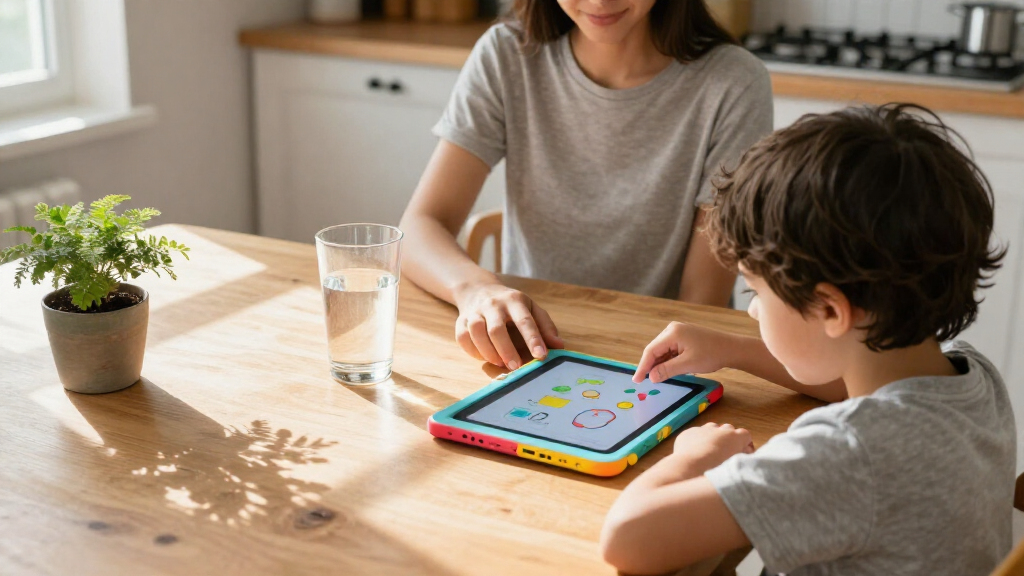
I ranked these educational tablets for kids by how well their stated features support a child’s learning and a parent’s day-to-day needs, not by headline numbers alone. My criteria included the clarity of the learning proposition, screen size and portability, storage, included protection or learning accessories, parental-control features, and how much flexibility a family gets from the operating system. I also weighed how much setup or ongoing content selection the product may leave to parents.
The Amazon Kids Tablet 11 ranks first for combining a large display, a protective bumper, and a subscription-based child-content offer in one package. LeapFrog earns a distinct place for families seeking a more learning-centered device, while the Evermyth’s stylus adds a specific creative-use advantage. The remaining Android models are differentiated by size, listed storage, controls, and included accessories; similar specifications do not automatically mean equivalent educational value. Product claims here are treated as listed features, so families should confirm app availability, subscription conditions, and control settings before choosing.
| educational tablets for kid | Operating system |
|---|---|
| LeapFrog LeapPad Academy Kids’ | Android 10 |
| PEICHENG 7-Inch Kids Tablet | Android 12 |
| LeapFrog LeapPad Academy Kids’ | Android 10 |
| EDUAITABLET K10D-002 10.1-Inch | Android 16 |
| EDDBNi K10 Kids Tablet | Android 15 |
| Evermyth 10-Inch Android 16 Ki | Android 16 |
| COLORROOM 10.1-Inch Android 15 | Android 15 |
| ICONLINK Q8K 7-Inch Kids Table | Android 12 |
| COLORROOM 10.1-Inch Kids Andro | Android 15 |
| Amazon Kids Tablet 11 | — |
Factors to Consider When Choosing Educational Tablets For Kids
Choosing a tablet for learning is less about finding the largest spec sheet and more about matching the device to how your child will use it. I would start with content, supervision, and practical fit, then compare screen size and storage.
Match the Learning Experience to Your Child
Decide whether your child needs a guided learning environment or a general tablet where you select the apps. A more focused device can reduce the time spent choosing content, while an Android tablet may support a wider mix of learning, creativity, and entertainment apps. Check whether the lessons suit your child’s age and current skills rather than relying on an “educational” label. A common mistake is buying a device for its included content without checking whether that content stays available after a trial or subscription period. If your child already has favorite learning apps, verify compatibility before deciding. The right fit is the one your child can use meaningfully with the level of guidance you can provide.
Treat Parental Controls as a Daily-Use Feature
Parental controls affect more than screen-time limits: they can shape what a child can install, watch, or access online. Before buying, look for clear ways to manage profiles, set boundaries, and approve content, and check whether those settings are built into the device or depend on separate apps. Do not assume that a kids-branded case or interface automatically means strong controls. Also consider how easy it will be to adjust permissions as your child grows. A tablet with broad app access may offer more choice but can ask more of the parent during setup and ongoing supervision. Pick a control system you are comfortable maintaining, not just one with a long feature list.
Choose Screen Size Around Where the Tablet Will Be Used
A compact seven-inch tablet is easier for small hands to carry and can suit travel, but reading, drawing, and split attention may feel more constrained. A 10-inch or 11-inch screen gives lessons and creative work more room, though the device can be less convenient to hold for long periods. Think about whether your child mostly uses a tablet at a desk, on the sofa, or in the car. Buyers often focus on screen size without considering weight, case bulk, or how the child will prop the device up. For shared family use, a larger display may be more practical; for independent carrying, a smaller model may be easier to manage. The best size depends on routine as much as age.
Look Beyond Storage Numbers
Storage matters most when a child downloads videos, games, or lessons for offline use, but the advertised capacity is not all available for personal content. The operating system and preloaded apps take space, and some tablets may handle storage expansion differently. Check whether the apps your child needs can be downloaded, whether offline access is supported, and whether additional storage options are available. A common buying error is paying attention to storage while overlooking app compatibility or the amount of content a child actually uses. For mostly streamed learning at home, less storage may be workable; travel and offline lessons make extra room more useful. Keep the device’s stated capacity in context rather than treating it as a measure of educational quality.
Weigh Protection and Accessories Against Real Needs
Included bumpers and protective cases can make a tablet easier for a child to handle, but they do not make a device indestructible. Check how the case affects grip, access to buttons, and the ability to position the screen for lessons. An included stylus can encourage drawing or handwriting practice, but it helps only if the apps support those activities and the child enjoys using it. Families should also check whether a charger, stand, or other practical accessory is included rather than assuming the package covers everything. Paying more for bundled extras makes sense when your child will use them regularly. Otherwise, focus on the tablet’s content and controls first.
Compare Total Ownership, Not Just the First Setup
A tablet can involve ongoing costs or upkeep through content subscriptions, app purchases, storage management, and parental setup. Check what a bundled subscription includes, how long access lasts, and what remains usable if you do not renew. Also consider whether the tablet will need a parent to curate apps or whether its content model is more self-contained. Families sometimes choose a device based on a bundle and later discover that their preferred lessons require separate purchases. Think about how many children will share the tablet and whether each needs a separate profile or learning progress. A better match is the one whose ongoing demands fit your family’s time and budget.
Frequently Asked Questions
Should I choose a dedicated learning tablet or a general Android tablet?
I would choose a dedicated learning device when a focused content experience and simpler choices matter more than app variety. A general Android tablet makes more sense when you want to select from a broader range of learning and creative apps, provided you are comfortable managing access and setup. The LeapFrog option is the clearest specialist in this lineup, while the Android models offer more general-purpose flexibility. Before buying, confirm that the learning activities match your child’s age and interests. Also check whether content access depends on a subscription or separate purchases.
Is a seven-inch tablet too small for schoolwork and reading?
Not necessarily, but a seven-inch screen gives less room for text, drawing, and on-screen activities than the larger options here. It can be a sensible fit for travel, younger children, or short learning sessions where portability matters most. For longer reading sessions or handwriting practice, a 10-inch or 11-inch display may feel more comfortable. Think about what your child will do most often rather than treating a larger screen as automatically better. If possible, compare the device’s size with how your child holds and views a tablet.
What should I check before relying on a tablet’s included kids’ subscription?
Check the length of access, what content is included, and what remains available if you do not continue the subscription. A bundle can make setup easier, but it may not cover the specific subjects or apps your child wants. Look for clear details on renewal terms and whether content can be used offline. Consider how the service handles different ages or profiles if siblings will share the device. The Amazon Kids Tablet 11 includes a one-year Kids+ subscription, so families should review those terms before treating the bundle as a long-term content plan.
Do 64GB and 10GB RAM make a kids tablet more educational?
No. Storage and memory can affect how much content a device holds and how it handles apps, but they do not tell you whether its learning material is useful or age-appropriate. The lineup includes several 64GB Android models with different extras, while the COLORROOM models list 10GB RAM; those figures alone do not establish teaching quality. Check app access, parental controls, screen usability, and whether the device suits your child’s routine. If most lessons are streamed, storage may matter less than reliable access to the right apps. Treat specifications as practical clues, not a substitute for checking the learning experience.
Which tablet is the better choice for drawing and handwriting practice?
The Evermyth is the most directly suited to that use in this roundup because it includes a stylus, but the accessory is useful only if compatible apps support the activities you want. Before choosing it, check how the stylus works with the tablet and whether drawing or handwriting apps are available and manageable through parental controls. A larger screen can also make creative work more comfortable than a compact seven-inch model. If structured lessons matter more than open-ended drawing, the LeapFrog option may be a better match. Think about whether your child prefers guided exercises or free-form creative tasks.
Conclusion
For most families seeking a ready-to-use package, I recommend the Amazon Kids Tablet 11 as best overall: its larger high-resolution screen, bumper, and included year of Kids+ make it the most complete bundle in this group, with subscription terms to check. For a focused, child-centered learning route, choose the LeapFrog LeapPad Academy as best for beginners; it is the more specialized choice, though less flexible than Android. The PEICHENG 7-Inch is my best value-style pick for portability, based on its compact size and listed 4GB RAM and 32GB storage, but it is not the best fit for screen-heavy work. For creative activities, the Evermyth is best for stylus use; for a larger Android screen with 64GB storage, compare the EDDBNi and COLORROOM models by their controls and included protection. Families who want the most screen room and a bundled child-content service should favor Amazon, while those who want to choose apps themselves should focus on Android compatibility and parental setup.