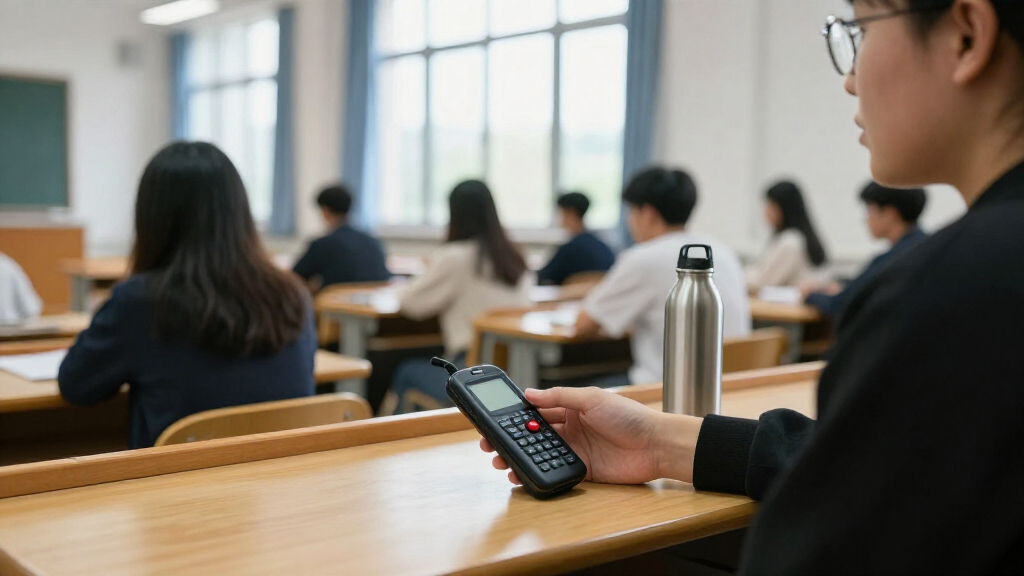

For students who want a recorder with both substantial storage and transcription tools, I’d start with the EVISTR L359 as the best overall pick. The P laud Note Pro models stand out for AI-assisted note workflows, while the Tonfarb 136GB options suit students who want lots of room for recordings and straightforward playback. The main tradeoffs are storage versus portability, simple recording versus transcription features, and how much setup or app support a study routine requires. A recorder can capture a lecture, but it cannot replace permission to record or active note-taking. Read on for the full breakdown and help matching a device to your classes.

Prime made for students and young adults
- Fast, free delivery for dorm and study essentials
- Prime Video and Amazon Music included
- Member-only deals
Key Takeaways
The EVISTR L359 leads this lineup for students seeking a blend of large listed storage and AI transcription, though transcription details and compatibility should be checked before relying on it.
The two Plaud Note Pro colors share the same decision profile: choose between them by preferred finish, not by assuming one offers a different feature set.
Storage claims vary widely, from the HoTiyan and Innioasis 8GB models to recorders listing 128GB or more; the right capacity depends on recording format and how often files are moved or deleted.
Voice activation appears across several conventional recorders, including EVIDA, HoTiyan, and NekSide, but it is not a substitute for checking whether the recorder captures quiet speech reliably.
AI transcription is a workflow choice, not an automatic upgrade: it can help turn recordings into searchable notes, while basic playback-focused models may be simpler for students who prefer manual review.
| EVISTR L359 128GB Digital Voice Recorder with AI Transcription |  | Best for AI-Assisted Lecture Notes | Storage: 128 GB | Maximum recording bitrate: 3072 Kbps | Maximum continuous recording time: Up to 33 hours | VIEW LATEST PRICE | See Our Full Breakdown |
| Tonfarb 64GB Digital Voice Recorder with Playback |  | Best for Manual Lecture Review | Storage: 64 GB | Recording formats: MP3, WAV | Maximum PCM bitrate: 1536 kbps | VIEW LATEST PRICE | See Our Full Breakdown |
| Plaud Note Pro AI Voice Recorder, Black |  | Best Premium Pick for In-Person and Phone Conversations | Microphones: Four built-in microphones | Microphone range: Up to 5 m (16.4 ft) | Storage: 64 GB | VIEW LATEST PRICE | See Our Full Breakdown |
| Cappsu Digital Voice Recorder with Playback, 32GB Built-In Memory |  | Best for Simple, One-Button Lecture Recording | Storage: 32 GB built-in | Maximum recording bitrate: 1536 Kbps | Continuous recording time: Up to 20 hours | VIEW LATEST PRICE | See Our Full Breakdown |
| Sunlan 16GB Digital Voice Recorder with Playback |  | Best Compact, No-Frills Recorder | Storage: 16 GB | Recording format: WAV | Maximum recording quality: 1536 kbps | VIEW LATEST PRICE | See Our Full Breakdown |
| EVIDA 128GB Digital Voice Recorder with Voice Activation, Playback, and Password Protection |  | Best for Organized Lecture Archives | Storage: 128 GB | Recording formats: MP3 and WAV | Recording bitrates: MP3: 128 or 192 kbps; WAV: up to 1536 kbps | VIEW LATEST PRICE | See Our Full Breakdown |
| Tonfarb 136GB Digital Voice Recorder with Playback, Pink |  | Best for Long Days on Campus | Storage: 136GB total: 8GB built-in plus included 128GB TF card | Recording formats: MP3 and WAV | Audio recording: PCM up to 1536 kbps | VIEW LATEST PRICE | See Our Full Breakdown |
| HoTiyan 8GB Digital Voice Recorder with Voice Activation and MP3 Playback |  | Best for Simple, Rechargeable Lecture Recording | Storage: 8 GB | Audio formats: MP3 and WAV | Recording bitrates: 32, 64, 128, and 192 kbps | VIEW LATEST PRICE | See Our Full Breakdown |
| Tonfarb 136GB Digital Voice Recorder with Playback and Noise Reduction |  | Best for High-Capacity Recording | Storage: 136GB total: 8GB internal plus 128GB TF card | Recording time: Up to 9,775 hours listed | Battery life: Up to 68 hours | VIEW LATEST PRICE | See Our Full Breakdown |
| NekSide 132GB Digital Voice Recorder with Voice Activation and Playback |  | Best for High-Detail WAV Capture | Storage: 132GB total: 4GB built-in plus included 128GB TF card | Recording format: WAV | Maximum bitrate: 3072 kbps | VIEW LATEST PRICE | See Our Full Breakdown |
| Plaud Note Pro AI Voice Recorder, Silver |  | Best for AI-Assisted Lecture Notes | Microphones: Four built-in microphones | Microphone range: Up to 5 m (16.4 ft) | Storage: 64 GB | VIEW LATEST PRICE | See Our Full Breakdown |
| EVISTR L357 64GB Digital Voice Recorder with Playback |  | Best Value for Playback and Manual Control | Storage: 64 GB | Recording formats: WAV, MP3 | Microphone: Built-in stereo | VIEW LATEST PRICE | See Our Full Breakdown |
| Innioasis R1 Digital Voice Recorder, 8 GB, Touchscreen, Black |  | Best for On-Device Lecture Transcription | Built-in storage: 8 GB | Expandable storage: Up to 1 TB via external SD card | Screen: 3.69-inch touchscreen | VIEW LATEST PRICE | See Our Full Breakdown |
| Pocket AI Voice Recorder with Auto Transcription, 64 GB, Space Grey |  | Best for Phone-Centered Study Workflows | Model: PKT 01 | Storage: 64 GB | Battery life: Up to 4 days | VIEW LATEST PRICE | See Our Full Breakdown |
| RECOLX AI Voice Recorder with GPT-5.2, 64 GB, Pearl Gray |  | Best for Multilingual Transcription | Storage: 64 GB | Recording time: Up to 30 hours | Language support: Up to 112 languages and accents | VIEW LATEST PRICE | See Our Full Breakdown |
| digital voice recorders for student | Storage | Microphone | Recording time |
|---|---|---|---|
| EVISTR L359 128GB Digital Voic | 128 GB | Built-in mono; mono and speech-recognition modes | — |
| Tonfarb 64GB Digital Voice Rec | 64 GB | Built-in stereo | — |
| Plaud Note Pro AI Voice Record | 64 GB | — | 30 hours in Enhance mode; 50 hours in Endurance mode |
| Cappsu Digital Voice Recorder | 32 GB built-in | — | — |
| Sunlan 16GB Digital Voice Reco | 16 GB | Built-in mono with noise cancellation | Up to 30 hours |
| EVIDA 128GB Digital Voice Reco | 128 GB | Built-in mono microphone with noise cancellation | Up to 54 hours |
| Tonfarb 136GB Digital Voice Re | 136GB total: 8GB built-in plus included 128GB TF card | — | — |
| HoTiyan 8GB Digital Voice Reco | 8 GB | Built-in stereo microphone | — |
| Tonfarb 136GB Digital Voice Re | 136GB total: 8GB internal plus 128GB TF card | — | Up to 9,775 hours listed |
| NekSide 132GB Digital Voice Re | 132GB total: 4GB built-in plus included 128GB TF card | Built-in omnidirectional microphone, mono | Over 22 hours continuous recording |
| Plaud Note Pro AI Voice Record | 64 GB | — | Up to 30 hours in Enhance mode; up to 50 hours in Endurance mode |
| EVISTR L357 64GB Digital Voice | 64 GB | Built-in stereo | Up to 32 hours continuous |
| Innioasis R1 Digital Voice Rec | — | — | — |
| Pocket AI Voice Recorder with | 64 GB | — | — |
| RECOLX AI Voice Recorder with | 64 GB | Built-in, high-sensitivity | Up to 30 hours |
More Details on Our Top Picks
EVISTR L359 128GB Digital Voice Recorder with AI Transcription
The EVISTR L359 is the strongest fit here for students who want more than an audio archive: its app can transcribe in 113 languages, identify speakers, and generate summaries and mind maps. That can make review faster than replaying a full lecture, while 128GB of storage leaves room for long-term class recordings. Compared with the simpler Cappsu V02, the L359 adds substantial study tools and more storage, but its AI features depend on the AI DVR Link app rather than working entirely on the recorder. The mono microphone is another limit for recording discussions where voices are spread around a room. One-touch recording, password protection, and wired phone transfer make it practical for everyday classes, though students who only need straightforward audio may be better served by a less app-dependent option.
Pros:- AI tools offer transcription in 113 languages, summaries, mind maps, speaker identification, and insights.
- 128GB storage accommodates a large archive of lectures and study recordings.
- One-touch recording, a HOLD switch, and password encryption support quick and private use.
- Wired OTG transfer can connect directly to a compatible phone without Bluetooth.
Cons:- Transcription and related AI tools require the AI DVR Link app.
- The built-in microphone records in mono, limiting separation of voices in group settings.
- The listed maximum continuous recording time is 33 hours, shorter than the Tonfarb recorder’s stated 48 hours.
Best for: Students taking lecture-heavy courses who want searchable multilingual transcripts, summaries, and organized study notes from recordings.
Not ideal for: Students who want a standalone recorder with no companion-app dependence or who need stereo capture for group discussions.
- Storage:128 GB
- Maximum recording bitrate:3072 Kbps
- Maximum continuous recording time:Up to 33 hours
- AI transcription languages:113
- Audio formats:MP3, WAV
- Microphone:Built-in mono; mono and speech-recognition modes
- Connectivity:USB Type-C, wired OTG
- Security:Password encryption and HOLD switch
Our verdict“Choose the EVISTR L359 if AI-generated study materials and large storage matter more than standalone simplicity or stereo recording.”
Tonfarb 64GB Digital Voice Recorder with Playback
The Tonfarb suits students who like to review recordings on the device rather than rely on an AI transcript. Its 1.44-inch screen, stereo microphone, bookmarks, A-B loop, and file segmentation make it easier to return to a difficult explanation or divide a long session into manageable sections. Compared with the EVISTR L359, it gives up app-based transcription and the larger storage capacity, but offers more direct playback controls and a stated up to 48 hours of continuous recording. That figure applies to MP3 at 32 kbps, so it should not be treated as the runtime at every setting. There is also conflicting battery information: the product details list both a 600 mAh battery and an included AAA battery. The result is a capable study tool with useful navigation, but less certainty about power and less help turning audio into written notes.
Pros:- Stereo microphone records both channels for lecture and discussion audio.
- Bookmarks, A-B loop playback, and file segmentation help locate and review specific sections.
- One-click recording and saving works from powered-off mode.
- Voice activation, scheduled recording, and password protection add practical controls.
Cons:- Battery details conflict between a 600 mAh battery and one included AAA battery.
- The stated 48-hour recording time is specified for MP3 at 32 kbps.
- It lacks the transcription and summary tools offered by the EVISTR L359.
Best for: Students who record lectures and want on-device playback tools for bookmarking, looping, and revisiting specific passages.
Not ideal for: Students who need automatic transcription, clear battery specifications, or a recorder focused on turning lectures into written study notes.
- Storage:64 GB
- Recording formats:MP3, WAV
- Maximum PCM bitrate:1536 kbps
- Maximum continuous recording time:Up to 48 hours at MP3 32 kbps
- Microphone:Built-in stereo
- Screen:1.44 inches
- Playback features:A-B loop, bookmarking, file segmentation
- Connection and headphone jack:USB 2.0; 3.5 mm
Our verdict“Pick the Tonfarb if hands-on playback controls matter more to your study routine than automated transcripts.”
Plaud Note Pro AI Voice Recorder, Black
The Plaud Note Pro stands apart from the button-led recorders in this group by combining a slim, card-like body with four microphones and tools for transcribing and summarizing conversations. Its stated pickup range of up to 5 m can help when a student is recording a seminar or discussion rather than sitting close to the speaker. It also supports phone-call recording, a use case the Cappsu V02 and Sunlan do not list. The tradeoff is a more app-centered workflow: the included Starter Plan covers 300 transcription minutes per month, and online meeting recording requires Plaud Desktop. Its 64GB capacity is half the EVISTR L359’s, and there is no headphone jack for wired listening. This makes it the more specialized choice for varied conversations, not the simplest recorder for routine lecture capture.
Pros:- Four built-in microphones have a stated range of up to 5 m.
- Supports recording in-person conversations and phone calls.
- Compact 30 g design includes a small display for recording status and battery level.
- Includes 300 transcription minutes per month and magnetic accessories.
Cons:- The Starter Plan is limited to 300 transcription minutes per month.
- Online meeting recording requires Plaud Desktop.
- No headphone jack, and its 64GB storage is smaller than the EVISTR L359’s 128GB.
Best for: Students who record seminars, interviews, or phone conversations and want AI transcription and summaries in a compact device.
Not ideal for: Students who record many hours of lectures each month and need a headphone jack or transcription beyond the included monthly allowance.
- Microphones:Four built-in microphones
- Microphone range:Up to 5 m (16.4 ft)
- Storage:64 GB
- Recording time:30 hours in Enhance mode; 50 hours in Endurance mode
- Audio format:WAV
- Connectivity:Bluetooth 5
- Display:0.95 inches
- Included transcription:Starter Plan with 300 minutes per month
- Weight:30 g (1.06 oz)
Our verdict“Choose the Plaud Note Pro for a compact recorder that handles conversations and calls, provided its monthly transcription allowance fits your workload.”
Cappsu Digital Voice Recorder with Playback, 32GB Built-In Memory
The Cappsu V02 is the straightforward choice for students who want to start recording quickly and keep the process simple. Its one-button operation avoids menu-heavy setup, while voice activation can reduce stretches of silence in a lecture recording. It comes with an external microphone, earphones, and a USB-C cable, giving students more out-of-the-box flexibility than the Sunlan, which has a built-in mono microphone and USB connectivity. The Cappsu’s 32GB built-in storage is adequate for a basic class archive, but it is less generous than the 64GB Tonfarb or 128GB EVISTR L359. Battery life also depends on mode: continuous recording is listed at up to 20 hours, while voice-activated recording is listed at up to 50. Small dimensions help it fit in a bag, though they may make the controls less comfortable for students who prefer larger buttons.
Pros:- One-button operation makes starting a lecture recording simple.
- Voice activation can extend recording time during sessions with pauses.
- Includes an external microphone, earphones, and USB-C cable.
- Lightweight body and built-in 32GB storage need no separate memory card.
Cons:- Continuous recording is listed for up to 20 hours per charge.
- The compact dimensions may make controls less comfortable for users who prefer larger buttons.
- Its 32GB storage is less than the Tonfarb 64GB and EVISTR L359 128GB.
Best for: Students who want a lightweight, easy-to-start recorder for regular lectures and value included accessories over advanced software features.
Not ideal for: Students who need a large recording archive, long continuous sessions without charging, or larger controls for frequent operation.
- Storage:32 GB built-in
- Maximum recording bitrate:1536 Kbps
- Continuous recording time:Up to 20 hours
- Voice-activated recording time:Up to 50 hours
- Recording modes:Continuous and voice activated
- Interface:USB Type-C
- Headphone jack:3.5 mm
- Included accessories:USB-C cable, 3.5 mm earphones, external microphone
- Weight:1.6 oz
Our verdict“Choose the Cappsu V02 for uncomplicated lecture capture and useful included accessories, not for the largest archive or longest continuous sessions.”
Sunlan 16GB Digital Voice Recorder with Playback
The Sunlan is the most basic, compact option in this group for students who mainly need to capture and replay spoken material. One-button recording keeps setup uncomplicated, while voice activation can help avoid filling storage with long silent gaps. A built-in speaker and A-B repeat let students replay a passage without opening editing software, a practical advantage over the Plaud Note Pro, which has no headphone jack and centers more on companion tools. The compromises are clear: 16GB of storage is the smallest listed capacity here, the microphone is mono, and playback is rated for up to seven hours. It records in WAV, but the product information does not list MP3 recording. This pick makes sense for occasional class notes and simple review, rather than a semester-long archive or AI-assisted study workflow.
Pros:- Compact 35 g design is easy to carry between classes.
- One-button recording and playback simplify everyday use.
- Voice activation and noise reduction are designed to support speech recording.
- Built-in speaker and A-B repeat make short sections easy to replay.
Cons:- 16GB storage is lower than the Cappsu V02’s 32GB and the Tonfarb’s 64GB.
- The built-in microphone records in mono rather than stereo.
- Playback time is listed for up to seven hours.
Best for: Students who want a small, simple recorder for occasional lectures, spoken reminders, and quick playback without AI features.
Not ideal for: Students building a large course archive, recording group discussions that benefit from stereo, or listening back for extended periods away from a charger.
- Storage:16 GB
- Recording format:WAV
- Maximum recording quality:1536 kbps
- Recording time:Up to 30 hours
- Playback time:Up to 7 hours
- Microphone:Built-in mono with noise cancellation
- Playback:Built-in speaker and 3.5 mm headphone jack
- Screen:1 inch
- Weight:35 g
Our verdict“Pick the Sunlan for portable, basic voice capture and simple replay, but choose a higher-capacity model for frequent lecture recording.”
EVIDA 128GB Digital Voice Recorder with Voice Activation, Playback, and Password Protection
The EVIDA suits students who record regularly and want more control over how files are captured and sorted. Its six voice-activation sensitivity levels let you tune recording to a quiet seminar or a livelier classroom, while four folders, bookmarks, and A-B repeat help with later review. Compared with the Tonfarb 136GB recorder, it has slightly less listed storage and needs a C battery, but offers WAV recording up to 1536 kbps and password protection. The mono microphone is a simpler setup than the Tonfarb’s dual microphones, and there is no headphone jack for direct listening. Its 54-hour recording-time claim is also less generous than the Tonfarb’s stated 68-hour battery life. Choose it for straightforward file organization, not for the most convenient charging or playback.
Pros:- Six voice-activation sensitivity levels allow adjustment for different classroom sound levels.
- Four folders, bookmarks, and A-B repeat support lecture organization and targeted review.
- Records WAV at up to 1536 kbps and offers two MP3 bitrates.
- Password protection and USB file transfer add practical file-management options.
Cons:- Requires a C battery rather than a rechargeable battery.
- No headphone jack for direct playback.
- Its built-in microphone is mono, unlike the Tonfarb 136GB model’s dual microphones.
Best for: Students who record multiple classes and want voice-activated capture, bookmarks, and separate folders for organizing lectures.
Not ideal for: Students who want rechargeable power or to listen through wired headphones directly from the recorder.
- Storage:128 GB
- Recording formats:MP3 and WAV
- Recording bitrates:MP3: 128 or 192 kbps; WAV: up to 1536 kbps
- Microphone:Built-in mono microphone with noise cancellation
- Voice activation:6 sensitivity levels
- Recording time:Up to 54 hours
- Display:1.5 inches
- Connectivity:USB 2.0
- Battery:Requires 1 C battery
Our verdict“Pick the EVIDA if organized, voice-activated lecture recording matters more than rechargeable power or headphone playback.”
Tonfarb 136GB Digital Voice Recorder with Playback, Pink
For a student who may record several classes between charges, this Tonfarb’s claimed 68-hour battery life is its clearest advantage. One-touch recording makes it quick to capture a lecture, while voice activation can reduce stretches of silence. It includes 8GB onboard plus a 128GB TF card, so the full stated capacity depends on keeping that card inserted. Compared with the EVIDA, it adds a rechargeable battery, USB-C, a headphone jack, and dual noise-reduction microphones; its pink casing also makes it easy to identify in a crowded bag. The 1.44-inch screen is small, and the product listing gives two slightly different weights. It is a more convenient everyday carry than the battery-powered EVIDA, but students who prefer a neutral finish or a larger display may want another option.
Pros:- Rechargeable battery is listed for up to 68 hours of use.
- Includes a 128GB TF card alongside 8GB of built-in storage.
- One-touch recording and voice activation support quick lecture capture.
- USB-C and a 3.5mm headphone jack offer useful transfer and playback connections.
Cons:- The stated 136GB total depends on the included TF card.
- The 1.44-inch LCD is small for navigating recordings.
- Product information lists the weight as both 97 g and 100 g.
Best for: Students with back-to-back lectures who want rechargeable operation, quick-start recording, and substantial included storage.
Not ideal for: Students who need a larger, clearer screen, a neutral color, or full storage capacity without relying on a memory card.
- Storage:136GB total: 8GB built-in plus included 128GB TF card
- Recording formats:MP3 and WAV
- Audio recording:PCM up to 1536 kbps
- Microphones:Built-in dual noise-reduction microphones
- Battery:1100mAh rechargeable lithium battery
- Battery life:Up to 68 hours
- Display:1.44-inch LCD
- Connections:USB-C and 3.5mm headphone jack
Our verdict“Choose this Tonfarb for long campus days and rechargeable convenience, provided you are comfortable relying on its included TF card for most storage.”
HoTiyan 8GB Digital Voice Recorder with Voice Activation and MP3 Playback
The HoTiyan is a sensible pick for students who want core recording and review tools without carrying a large-capacity recorder. Its stereo microphone, rechargeable battery, and voice activation cover everyday lectures, while variable playback speed and A-B repeat help when revisiting a difficult explanation. Unlike the Tonfarb 136GB models, it has only 8GB of storage and a listed maximum of 199 files, so regular transfers matter if you record often. That smaller capacity makes it less suited to building a semester-long archive, but its 3.5mm headphone jack supports direct listening and it can play MP3 files. The listed continuous recording time is up to 20 hours, while earphone playback is listed at up to eight hours. Pick it for focused use and review features, not for long-term storage.
Pros:- Built-in stereo microphone and voice activation support lecture capture.
- Rechargeable battery is listed for up to 20 hours of continuous recording.
- Variable playback speed and A-B repeat make reviewing key sections easier.
- 3.5mm headphone jack and MP3 playback allow listening directly on the device.
Cons:- 8GB storage and a 199-file maximum call for regular file management.
- Earphone playback is listed for up to eight hours.
- Uses a Micro USB 2.0 Type B connection rather than USB-C.
Best for: Students who record a few classes at a time and want rechargeable power, stereo capture, and tools for replaying difficult passages.
Not ideal for: Students recording many lectures without regular file transfers or anyone needing extensive capacity for a semester archive.
- Storage:8 GB
- Audio formats:MP3 and WAV
- Recording bitrates:32, 64, 128, and 192 kbps
- Microphone:Built-in stereo microphone
- Continuous recording:Up to 20 hours
- Maximum recording files:199
- Battery:Rechargeable 3.6 V, 300 mAh lithium-ion
- Connections:USB 2.0 Type B and 3.5mm headphone jack
- Display:1.1 inches
Our verdict“Choose the HoTiyan for manageable recording sessions and useful playback controls, but look to a Tonfarb 136GB model if you want a large lecture archive.”
Tonfarb 136GB Digital Voice Recorder with Playback and Noise Reduction
This Tonfarb makes the strongest case for students who record long lectures, seminars, or study sessions and do not want to clear storage frequently. It combines 136GB total capacity—8GB internal plus a 128GB TF card—with a stated maximum of 9,775 recording hours. Its dual noise-reduction microphones and voice activation are aimed at capturing speech without leaving long silent stretches. Compared with the pink Tonfarb 136GB model, the listed core capacity, battery life, and USB-C connection are similar; this version is described with PCM at 1536 kbps and does not list a headphone jack or color display. The 1.44-inch screen is small, and a crowded recording archive still needs file organization outside the recorder. It suits students who prioritize capacity and long battery life over a richer on-device interface.
Pros:- 136GB total storage includes a 128GB TF card and 8GB internal memory.
- Battery life is listed at up to 68 hours.
- Dual noise-reduction microphones and voice activation support lecture recording.
- USB-C provides a current, convenient file-transfer connection.
Cons:- The full stated storage capacity depends on the included TF card.
- The 1.44-inch screen may make file navigation less convenient.
- The product information describes a basic interface without advanced editing features.
Best for: Students who record many hours of lectures or research interviews and want ample storage with long intervals between charges.
Not ideal for: Students who want a headphone jack, a larger screen, or advanced on-device editing and file-management tools.
- Storage:136GB total: 8GB internal plus 128GB TF card
- Recording time:Up to 9,775 hours listed
- Battery life:Up to 68 hours
- Battery:1100mAh lithium polymer
- Audio formats:MP3 and WAV
- Bitrate:1536 kbps
- Microphones:Built-in dual noise-reduction microphones
- Display:1.44 inches
- Interface:USB-C
Our verdict“Pick this Tonfarb if recording capacity and long battery life outweigh the need for a larger display or more hands-on playback controls.”
NekSide 132GB Digital Voice Recorder with Voice Activation and Playback
The NekSide stands apart for students who want a recorder centered on high-bitrate WAV files rather than flexible format choices. Its 3072 kbps maximum bitrate is higher than the 1536 kbps ceiling listed for the EVIDA and Tonfarb recorders, while the included 128GB TF card contributes to its stated 132GB capacity. One-touch recording, voice activation, and recording while charging suit long classes or desk-based sessions; USB-C charging and low-battery auto-save are useful safeguards. There are tradeoffs: the microphone is mono and omnidirectional, and only WAV is listed, so students seeking MP3 recording options should look at the HoTiyan or EVIDA. The product information also gives conflicting dimensions and headphone-connection details. This is a specialized choice for WAV-focused capture, not the clearest pick for straightforward everyday playback.
Pros:- Supports WAV recording at up to 3072 kbps.
- Includes a 128GB TF card alongside 4GB of built-in storage.
- One-touch recording, voice activation, and recording while charging support flexible lecture use.
- USB-C charging and low-battery auto-save help protect long recording sessions.
Cons:- Only WAV recording is listed, with no MP3 option specified.
- The built-in microphone records in mono.
- Product information gives conflicting dimensions and headphone-connection details.
Best for: Students who prioritize high-bitrate WAV capture and want a recorder that can keep recording while connected to power.
Not ideal for: Students who need MP3 recording, stereo microphone capture, or unambiguous sizing and headphone-connection information.
- Storage:132GB total: 4GB built-in plus included 128GB TF card
- Recording format:WAV
- Maximum bitrate:3072 kbps
- Microphone:Built-in omnidirectional microphone, mono
- Noise reduction:ANC chip and DSP technology
- Recording time:Over 22 hours continuous recording
- Charging:USB Type-C; approximately 1.5–2 hours
- Weight:Approximately 1.98 oz
- Included accessories:128GB TF card, 3.5mm headphones, USB-C cable, and manual
Our verdict“Choose the NekSide for high-bitrate WAV recording and charging flexibility, but skip it if you need MP3 files or clear, consistent connection details.”
Plaud Note Pro AI Voice Recorder, Silver
For students who want more than an audio file after class, the Plaud Note Pro pairs four microphones with transcription, summaries, and productivity-tool integrations. Its 30 g profile and small status display make it easier to carry and check at a glance than the larger-screen Innioasis R1. The listed microphone range of up to 5 meters may also help when a lecturer is not close by. With 64 GB of storage and up to 50 hours in Endurance mode, it can hold plenty of lectures between file transfers. The tradeoff is its reliance on connected software for AI features: the included plan allows 300 transcription minutes monthly, and online meetings require Plaud Desktop. Students who mainly need straightforward playback may get more direct control from the EVISTR L357 instead.
Pros:- Four microphones and a stated range of up to 5 meters suit classroom and group recordings.
- Light 30 g design with a display for recording status and battery information.
- 64 GB storage and up to 50 hours of recording in Endurance mode.
- Transcription, summaries, and productivity-tool integrations support study follow-up.
Cons:- The included Starter Plan is limited to 300 transcription minutes per month.
- Online meetings require Plaud Desktop.
- No headphone jack is listed for direct wired listening.
Best for: Students who want lecture recordings turned into searchable transcripts and summaries, and are comfortable using companion software.
Not ideal for: Students who need unlimited included transcription or a standalone recorder for online classes, since transcription minutes are capped and online meetings require Plaud Desktop.
- Microphones:Four built-in microphones
- Microphone range:Up to 5 m (16.4 ft)
- Storage:64 GB
- Recording time:Up to 30 hours in Enhance mode; up to 50 hours in Endurance mode
- Recording formats:WAV
- Display:0.95 in
- Weight:30 g (1.06 oz)
- Included transcription:Starter Plan with 300 minutes per month
Our verdict“Choose the Plaud Note Pro if AI-generated study notes matter more to you than unrestricted transcription or standalone operation.”
EVISTR L357 64GB Digital Voice Recorder with Playback
The EVISTR L357 is a practical choice for students who want to record lectures, replay difficult sections, and move files to a computer without making AI services the center of the workflow. Its variable-speed playback and A-B repeat let you revisit a short passage or slow down a section while taking notes—controls the AI-focused Plaud Note Pro does not emphasize. Voice activation with seven sensitivity levels can reduce long stretches of silence, while adjustable gain gives students some control over recording levels. The metal body and USB-C transfer add useful everyday practicality. Its main limitation is that it offers no listed transcription or summary tools, so turning lectures into text requires another workflow. The long maximum storage figure also depends on recording at a very low 32 Kbps bitrate.
Pros:- A-B repeat and variable-speed playback help with reviewing exact lecture passages.
- Voice activation offers seven sensitivity levels to limit silent recording.
- WAV and MP3 recording with seven adjustable gain levels.
- USB-C file transfer supports Windows and Mac.
Cons:- No built-in transcription or AI-generated study summaries are listed.
- The maximum stated storage duration relies on a 32 Kbps recording rate.
- A full charge takes approximately three hours.
Best for: Students who prefer reliable lecture capture, on-device playback controls, and direct file transfer to a Windows or Mac computer.
Not ideal for: Students who want automatic transcripts or AI summaries built into their recorder, or who need high-quality audio across every claimed storage hour.
- Storage:64 GB
- Recording formats:WAV, MP3
- Microphone:Built-in stereo
- Recording time:Up to 32 hours continuous
- Battery:500 mAh lithium polymer
- Charging interface:USB Type-C
- Playback features:A-B repeat, rewind, variable speed
- Computer compatibility:Windows and Mac
Our verdict“Pick the L357 if direct playback and computer file transfer matter more than automated transcription.”
Innioasis R1 Digital Voice Recorder, 8 GB, Touchscreen, Black
The Innioasis R1 suits students who want recording controls and speech-to-text on the device itself, rather than relying on the subscription-linked workflow offered by the Plaud Note Pro. Its offline transcription is a useful distinction for reviewing notes without an internet connection, and dedicated Lecture, Meeting, and Interview modes make it easier to match settings to the task. A 3.69-inch touchscreen gives the R1 a more interface-led feel than the simpler EVISTR L357, while physical controls provide an alternative to touchscreen navigation. The tradeoff is modest 8 GB built-in storage; expanding capacity requires an external SD card, up to 1 TB. Students seeking a light, pocketable recorder may find its large screen less convenient, and fast charging is not supported.
Pros:- Offline speech-to-text can support review without an internet connection.
- Dedicated Lecture, Interview, Meeting, and other recording modes.
- Touchscreen paired with physical controls for device operation.
- Storage can expand to 1 TB with an external SD card.
Cons:- Only 8 GB of storage is built in; additional capacity requires an SD card.
- Fast charging is not supported.
- Its 3.69-inch screen makes it less pocket-focused than the Plaud Note Pro.
Best for: Students who want offline speech-to-text, named recording modes, and a large screen for managing recordings on the device.
Not ideal for: Students who want generous built-in storage without buying an SD card, or a slim recorder that takes up minimal bag space.
- Built-in storage:8 GB
- Expandable storage:Up to 1 TB via external SD card
- Screen:3.69-inch touchscreen
- Microphones:Dual microphones
- Recording modes:General, Interview, Meeting, Lecture, Pocket
- Speech-to-text:Offline transcription
- Battery:1100 mAh lithium battery
- Charging:USB Type-C; 5 V / 1 A input
Our verdict“Choose the R1 if offline transcription and a large on-device interface outweigh the need for ample built-in storage.”
Pocket AI Voice Recorder with Auto Transcription, 64 GB, Space Grey
The Pocket AI Voice Recorder is built for students who already manage coursework on a smartphone and want recordings converted into more than plain transcripts. Its AI tools can produce summaries, action items, and conversation maps, with questions about recorded conversations available as another way to revisit material. MagSafe attachment offers a hands-free mounting option on compatible devices, while the four-day battery claim and 64 GB storage favor frequent capture. Compared with the standalone Innioasis R1, this model is more tied to a phone-based workflow and its attachment feature depends on compatibility. The stated size is also larger than its “pocket” name may suggest. Core features are included, but additional tools require an optional subscription, so students should check which study functions are available without it.
Pros:- AI can create transcripts, summaries, action items, and conversation maps.
- Supports questions about recorded conversations.
- 64 GB storage and stated battery life of up to four days.
- MagSafe-compatible attachment supports hands-free phone use.
Cons:- Some additional tools require an optional subscription.
- MagSafe attachment depends on having a compatible device or setup.
- The listed dimensions are relatively large for a device described as pocket-sized.
Best for: Students who record through a smartphone and want AI summaries, action items, and conversation search in a phone-centered workflow.
Not ideal for: Students who need a fully independent recorder, do not use a compatible MagSafe setup, or want every AI feature without an optional subscription.
- Model:PKT 01
- Storage:64 GB
- Battery life:Up to 4 days
- Compatibility:iOS and Android; MagSafe-compatible attachment
- Connectivity:Bluetooth
- AI features:Transcription, summaries, action items, conversation maps, and questions about recordings
- Format:RealAudio
- Dimensions:1.77 × 3.2 × 7.4 in (listed D × W × H)
Our verdict“Pick Pocket if your phone is central to studying and you want AI to turn recordings into organized follow-up notes.”
RECOLX AI Voice Recorder with GPT-5.2, 64 GB, Pearl Gray
For students working across languages or studying from multilingual interviews, the RECOLX AI Voice Recorder puts breadth of speech recognition ahead of the Pocket recorder’s conversation maps and question feature. It lists support for up to 112 languages and accents, along with transcription, summaries, 71 templates, and five AI modes. A high-sensitivity microphone and noise reduction are intended to help recordings remain usable in busy settings; up to 30 hours of continuous recording gives it a useful margin for long study days. USB-C export and end-to-end encryption also speak to file handling and privacy. The tradeoff is that AI features depend on supported services and may require setup or connectivity. Unlike the EVISTR L357, it has no headphone jack, so wired listening is not an option.
Pros:- Speech-to-text support lists up to 112 languages and accents.
- Transcription, summaries, 71 templates, and five AI modes.
- Up to 30 hours of continuous recording with noise reduction.
- USB-C export and end-to-end encryption are listed.
Cons:- AI tools depend on supported services and may require setup or connectivity.
- No headphone jack is included.
- The included Pro AI tools are limited to three months.
Best for: Multilingual students who need AI transcription across a range of languages and accents, plus summaries and reusable note templates.
Not ideal for: Students who want offline AI processing, wired headphone playback, or a recorder that works without setting up supported AI services.
- Storage:64 GB
- Recording time:Up to 30 hours
- Language support:Up to 112 languages and accents
- AI features:Transcription, summaries, 71 templates, and five AI modes
- Microphone:Built-in, high-sensitivity
- Connectivity:Bluetooth; USB-C
- Security:End-to-end encryption
- Included AI tools:Three months of Pro AI tools
Our verdict“Choose RECOLX if multilingual transcription is your priority and you are comfortable relying on supported AI services.”
How We Picked
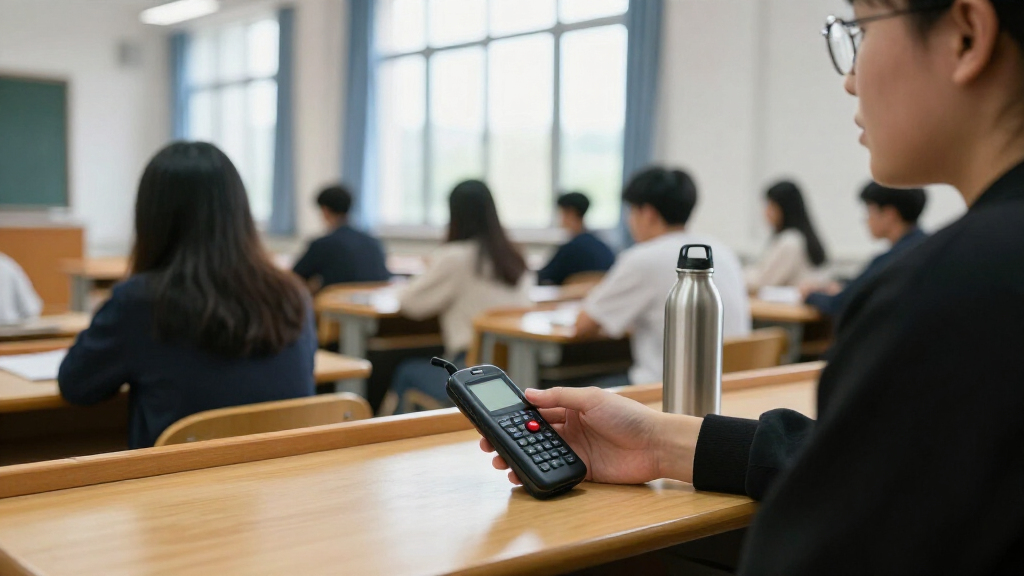
I compared these recorders through a student-use lens: whether the listed features support lecture capture, later review, and carrying a device between classes. I weighed storage capacity, playback and voice-activation functions, transcription claims, interface complexity, and the likely usefulness of each feature against the extra setup it may bring. I also treated product names and listed specifications as clues rather than proof of recording quality; buyers should verify supported file formats, battery life, microphone performance, and transcription terms before purchase.
The ranking favors devices that appear to cover more of a student’s routine without forcing every buyer into an AI workflow. The EVISTR L359 ranks first for its combination of listed capacity and transcription, while the Plaud Note Pro models follow for students who value AI-assisted organization. High-capacity playback models rank well for straightforward recording, and compact-capacity or simpler options fit narrower needs. Where models share a name or similar headline features, I distinguish them by their stated specifications and avoid claiming performance differences the available product details do not establish.
Factors to Consider When Choosing Digital Voice Recorders For Students
Choosing a student recorder is less about collecting the longest feature list and more about matching the device to how you study. Before deciding, consider the whole path from recording a class to finding the right passage later.
Match Storage to Your Recording Routine
Capacity figures are only useful when paired with an estimate of how often you record and how large the files are. A student recording a few seminars each week may manage with less storage by transferring files regularly, while someone capturing full lecture days will benefit from more headroom. Recording quality and file format affect how much space each hour takes, so check those details rather than treating gigabytes as a direct measure of recording time. A common mistake is buying the largest capacity and never establishing a backup habit. Keep a second copy of important lectures on a computer or cloud service, subject to school rules and privacy needs. Choose capacity for your schedule, then plan how recordings will be stored and cleared.
Decide Whether Transcription Fits Your Study Method
Transcription can make lecture content easier to search, but it does not guarantee accurate notes. Accuracy may vary with accents, technical vocabulary, room acoustics, and overlapping discussion, so students should expect to correct important passages. Check whether transcription happens on the device, through a companion app, or through an online service, and review any account, connectivity, privacy, or usage requirements. An AI workflow can save review time when it produces usable text, but it may add setup and file-management steps. Students who learn best by listening back may get more from reliable playback than automated text. Treat transcripts as study aids to verify, not as authoritative course records.
Prioritize Clear Capture Over Extra Modes
Voice activation and noise reduction sound useful in a lecture hall, yet they do not solve every recording problem. A microphone placed far from the instructor may capture room noise more strongly than speech, regardless of the recorder’s feature list. Think about where you can sit, whether the instructor moves around, and whether the device can be positioned unobtrusively near the sound source. Test the recorder in a permitted setting before relying on it for an important class. Listen for quiet words, clipped beginnings, and distracting background sounds. If the capture is unclear, a premium transcription feature may simply turn unclear audio into unclear text.
Check Controls, Playback, and File Transfer
A recorder that is easy to start and review can matter more during a busy school day than a long menu of modes. Consider whether you can confirm recording status at a glance, navigate to a particular file, and adjust playback speed or volume comfortably. Touchscreen or app-based controls may suit students who like managing files digitally, while physical buttons can be easier to use without looking. Check how recordings move to a laptop or phone and whether that process fits the devices you already use. Do not assume that a listed playback feature means every common format or transfer method is supported. Simple file access reduces the chance that useful audio stays trapped on the recorder.
Balance Portability With Battery and Durability Needs
Students carry recorders alongside laptops, books, and chargers, so size and charging habits affect whether a device gets used consistently. A compact model may be easier to bring to every class, but a smaller body can mean fewer controls or less room for a large battery. Check stated battery life under the recording conditions you expect, since continuous recording and wireless or app-linked features can change power use. Consider whether the recorder uses a built-in rechargeable battery or replaceable cells and how convenient charging will be between classes. A case or protective sleeve may matter if the device shares a crowded backpack. Buy for the routine you can maintain, not only the smallest dimensions on a listing.
Treat Privacy and Recording Permission as Part of the Purchase
Before recording a lecture, check your school’s policy and ask the instructor when permission is required. Classroom discussions can include classmates’ voices and personal information, so storing or sharing audio may raise privacy concerns even when the device itself is easy to use. AI transcription can involve additional processing or account services, which makes it worth reading how recordings and transcripts are handled. Use passwords or device locks where available, but do not assume they replace secure backups or careful file sharing. Delete recordings when they are no longer needed and avoid distributing class audio without permission. A recorder is a study aid, and responsible use is part of choosing one.
Frequently Asked Questions
Should I choose an AI recorder or a basic playback model for lectures?
Choose an AI model if searchable transcripts or automated summaries would fit your study routine and you are willing to check their accuracy. A playback-focused recorder makes more sense if you mainly want to revisit explanations and take your own notes. Before buying for transcription, confirm whether the service needs an app, account, internet access, or ongoing usage allowance. Also check how audio and text are stored, especially if lectures include sensitive material. If you are unsure, prioritize clean recording and easy file transfer over AI features you may not use.
Is 8GB enough storage for a semester of classes?
It can be enough for occasional recordings if you regularly transfer and delete files, but it leaves less room for long lectures and forgotten backups. Actual recording time depends on the audio format and quality settings, so capacity alone cannot tell you how many class hours will fit. Students who record several sessions each week should check the manufacturer’s recording-time estimate and compare it with their schedule. Larger-capacity choices in this roundup offer more room between transfers, though they do not remove the need to back up important files. Pick a capacity that matches your habits rather than assuming you will always manage storage perfectly.
Can a voice recorder replace taking notes in class?
A recorder can preserve an explanation for review, but it is a weak substitute for actively processing the material. Listening back takes time, and a transcript may miss context, technical terms, or what the instructor emphasizes. Notes help you identify questions and organize concepts while the class is happening. A practical approach is to record with permission, take brief notes, and revisit only the sections that need clarification. That makes the recording a backup and study resource rather than an entire semester of audio to catch up on later.
What should I check before using a recorder for an important lecture?
Make a short test recording in a setting with similar noise and seating distance, then listen for speech clarity and complete playback. Confirm battery level, available storage, recording controls, and how files transfer to your usual study device. If you plan to use transcription, test that workflow too and see whether it handles course vocabulary acceptably. Check instructor and school permission rules before capturing a class. A brief setup check can reveal practical problems that headline capacity or AI features do not.
Do I need voice activation for lecture recording?
Voice activation can help reduce silent stretches in some settings, but it may miss quiet speech or cut off the start of a sentence if its trigger threshold is not well matched. Continuous recording is often simpler when a lecture is important and storage is ample. If you use activation, test it with the instructor’s speaking volume and the room’s background noise before relying on it. Check whether the recorder lets you adjust sensitivity and whether it records a lead-in buffer. For students who cannot risk missing a phrase, dependable continuous capture may be the safer habit.
Conclusion
For the broadest student use, I’d choose the EVISTR L359 as this roundup’s best overall option, based on its listed storage and AI transcription combination. The Tonfarb 136GB playback models are the best value-style fit for students who want substantial room for recordings without making transcription the center of their workflow. For a best premium, AI-focused choice, consider either P laud Note Pro finish, after checking the app and transcription requirements that matter to you. Students new to dedicated recorders may prefer the Cappsu 32GB or Sunlan 16GB for a simpler playback-led approach, while the HoTiyan 8GB suits someone with lighter recording needs. For specific needs, look at EVIDA for listed password protection or NekSide for voice activation; confirm their practical behavior before depending on either feature. Choose by the way you will capture, review, and store class material—not by capacity or AI claims alone.