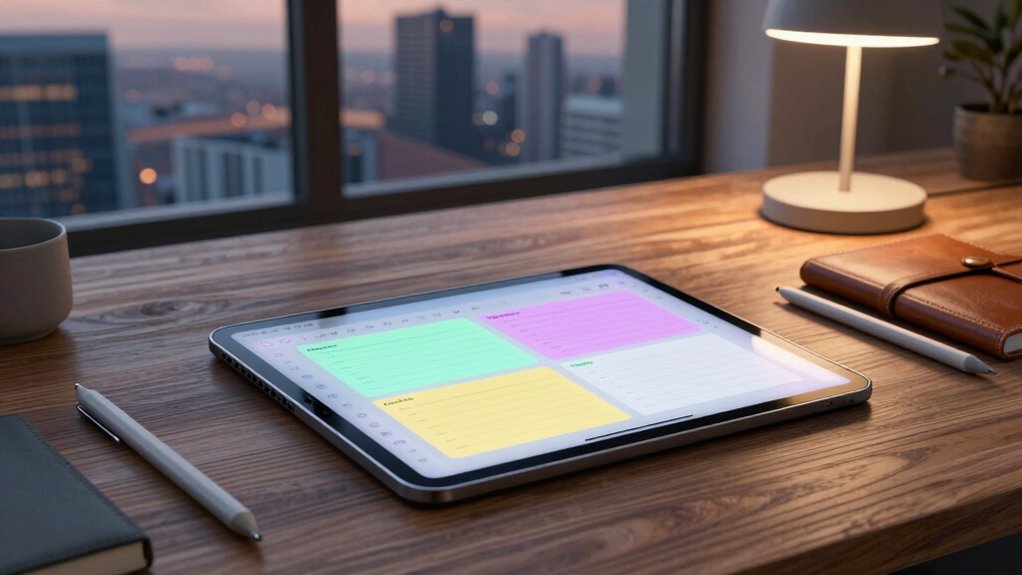

Finding the right tablet for digital field notes involves balancing durability, writing experience, battery life, and connectivity. The iFLYTEK AINOTE 2 stands out as the best overall choice thanks to its robust AI features and excellent handwriting recognition. For those seeking a versatile device that doubles as a sketchpad, the XPPen Note Plus offers a smooth digital writing experience with wireless convenience. Meanwhile, the Huion Note 2-in-1 excels for artists and note-takers who need a battery-free pen and drawing capabilities. Each option comes with tradeoffs—whether it’s cost, weight, or feature set—so keep reading to see how they compare and find the best fit for your needs.

Prime made for students and young adults
- Fast, free delivery for dorm and study essentials
- Prime Video and Amazon Music included
- Member-only deals
Key Takeaways
- The top picks balance durability with ease of use, making them suitable for outdoor and rugged environments.
- Advanced note-taking features like AI transcription and handwriting recognition significantly enhance productivity.
- Weight and battery life vary widely; lighter models favor portability, while heavier ones often have longer battery life.
- Drawing and sketching capabilities are a key differentiator for creative users, but often come with higher costs.
- Connectivity options like Bluetooth and Wi-Fi, along with storage capacity, are critical for seamless field use.





More Details on Our Top Picks
iFLYTEK AINOTE 2 AI Digital Notebook – 10.65″ E-Ink Tablet with AI Assistant, Meeting Notes & Voice Transcription
The iFLYTEK AINOTE 2 stands out for its natural paper-like writing experience and AI-powered tools that automate meeting summaries and enable multilingual transcription. Its 10.65-inch E Ink display offers a low-latency, comfortable writing surface, making it an excellent choice for those who prioritize a paper-like feel. Compared with the XPPen 3-in-1, it excels in AI features but requires an internet connection for full functionality, which can be limiting in some settings. Its lightweight design makes it ideal for mobile professionals who need quick access to organized notes and translations. The main tradeoff is that transcription accuracy can vary depending on ambient noise and audio quality, and AI features depend on online connectivity. Overall, this device suits busy professionals who want a digital notebook that combines traditional note-taking with smart features, but those seeking offline use or detailed artwork may find it less suitable.
Pros:- Natural paper-like writing experience with low latency
- AI-driven meeting summaries and semantic search
- Supports multilingual transcription and translation
- Ultra-thin, lightweight design for portability
Cons:- Requires internet connection for AI features, limiting offline use
- Transcription accuracy can fluctuate with audio quality
- External lighting recommended for writing in dark environments
Best for: Business professionals and multilingual users who need smart meeting notes and quick organization
Not ideal for: Artists or users needing intensive offline handwriting or sketching, as AI features are internet-dependent
- Display:10.65-inch E Ink
- Thickness:4.2mm
- Features:AI Assistant, Voice-to-Text, Handwriting Recognition, Multilingual Support, PDF Annotation
- Connectivity:Requires internet connection for AI features
- Design:Ultra-thin, lightweight
Our verdict“This device is perfect for professionals who want a portable, AI-enhanced digital notebook for meetings and multilingual notes, with the caveat of needing a reliable internet connection.”
XPPen Note Plus Digital Notebook with Pen – Wireless Smart Writing Tablet for Sketching, Note-Taking, and Digital Art
The XPPen Note Plus offers a seamless blend of traditional notepad feel with digital versatility, thanks to its dedicated ink pen and Bluetooth 5.3 connection. Its 8192 pressure levels and A5-sized cores make it ideal for detailed note-taking and sketching, especially for users who want a natural writing experience. Compared with the Huion Note 2-in-1, it excels in connectivity stability and longer battery life, but it is limited to A5 size, which may restrict larger projects. Its quick Bluetooth pairing and 14-hour battery life make it suitable for all-day productivity, though users should note that the refillable pen may require frequent replacement and that full functionality depends on the accompanying app. This pick is best suited for students, artists, and professionals who need a portable, responsive digital sketchbook with minimal fuss, but those requiring larger workspaces might look elsewhere.
Pros:- Seamless Bluetooth 5.3 connectivity for stable, instant syncing
- Authentic paper-like feel with dedicated ink pen
- Supports customizable cores and easy note management
- Long-lasting 14-hour battery for all-day use
Cons:- Requires compatible A5 paper cores (not included), adding extra cost
- Limited to A5 size, not suitable for larger sketches
- Refillable pen and nibs may need frequent replacements
Best for: Artists, students, and professionals seeking a portable, natural-feel digital writing and sketching device
Not ideal for: Users needing large-format sketches or detailed illustrations beyond A5 size, as it’s limited in workspace
- Bluetooth:5.3
- Pressure Sensitivity:8192 levels
- Compatibility:Android 10.0+ / iOS 14.0+
- Battery Capacity:1000mAh
- Battery Life:14 hours
- Dimensions:245×176×13mm
Our verdict“Ideal for creative users wanting a natural, portable writing and sketching experience in a compact size, with the tradeoff of workspace limitations and accessory costs.”
Huion Note 2-in-1 Digital Notebook Drawing Tablet with Battery-free Pen, Bluetooth Wireless Paper Tablet, Refillable A5 Notepad, 9.5×7 inch
The Huion Note 2-in-1 combines a traditional A5 notepad with a digital drawing surface, making it perfect for those who want both handwritten notes and digital sketches. Its 9.5×7 inch screen supports 16,384 pressure levels, ideal for detailed artwork or precise note annotations. Compared with the XPPen Note Plus, it offers a larger drawing area and the added benefit of an Android 15 OS, but the need for an app to unlock full features could be a hurdle for some. Its long 18-hour battery life and quick Bluetooth pairing support busy schedules, although the refillable pen and nibs may require frequent replacement for heavy use. This device is best suited for artists, students, and professionals who want a flexible device for both note-taking and creative work, but those looking for a simplified, plug-and-play experience might find the system setup cumbersome.
Pros:- Large 9.5×7 inch screen with 16,384 pressure levels for precision
- Battery-free magnetic pen enhances ease of use
- Supports Bluetooth connectivity and Android 15 compatibility
- Refillable notepad with 50 pages for ongoing use
Cons:- Requires app installation for full functionality, adding setup complexity
- Refillable pen and nibs may need frequent replacements
- Narrow viewing angle may limit visibility from certain angles
Best for: Digital artists and note-takers needing a larger, versatile device for both writing and drawing
Not ideal for: Users seeking a simple, straightforward digital notebook without the need for additional apps or complex setup
- Display Size:9.5×7 inch
- Pressure Levels:16384
- Battery Life:18 hours
- Connection:Bluetooth 5.0
- Included Notepad Pages:50
- Operating System:Android 15
Our verdict“A highly flexible, larger-format device suited for artists and note-takers who want a dual-purpose tablet with advanced sensitivity, at the expense of system setup and maintenance.”
XPPen 3-in-1 Color Digital Notebook 10.95” with 16384 Pressure Levels and Magnetic Folio
The XPPen 3-in-1 Color Digital Notebook offers an immersive, colorful writing and drawing experience on a 10.95-inch AG nano-etched LCD screen. Its 16.7 million color support and 90Hz refresh rate provide smooth, vibrant visuals suited for creative work and multimedia reading. Compared to the Huion Note 2-in-1, it emphasizes color versatility and display quality, though its narrower viewing angle limits how many people can comfortably see the screen at once. The device’s 13MP front camera adds multimedia capabilities, making it a versatile tool for photography and video conferencing. Its 8000mAh battery and fast 20W charging support prolonged use, but performance can slow when running multiple apps simultaneously. This pick is best for artists, designers, and content creators who need detailed color control and high sensitivity, but casual note-takers might find the features more than they need.
Pros:- High 16384 pressure sensitivity for detailed work
- Supports 16.7 million colors for vibrant visuals
- Magnetic folio and stylus included for convenience
- Fast 20W charging with 128GB storage for extended use
Cons:- Narrow viewing angle may affect visibility from certain positions
- Performance may degrade with multiple apps open simultaneously
- More expensive compared to monochrome or simpler models
Best for: Creative professionals and multimedia users needing vibrant, color-rich displays for drawing, reading, and annotations
Not ideal for: Users primarily seeking a straightforward note-taking device without the need for color or multimedia features
- Display Size:10.95 inches
- Color Support:16.7 million colors
- Pressure Levels:16384
- Battery:8000mAh
- Refresh Rate:90Hz
- Storage:128GB
Our verdict“Best suited for creative users who need a vibrant, color-capable device with high sensitivity, accepting some limitations in viewing angles and multitasking performance.”
iFlytek AINOTE 2 AI Digital Notebook with Blue Case, 10.65″ E Ink Tablet with AI Assistant and Handwriting Recognition
The iFlytek AINOTE 2 Blue Edition offers a compact, ultra-thin digital note-taking experience with a 10.65-inch E Ink display that closely mimics paper. Its AI features, including handwriting recognition, voice transcription, and smart search, make it especially useful for busy professionals managing workflows and digital documents. Compared with the iFLYTEK AINOTE 2 AI, this version emphasizes portability and aesthetic appeal, though it shares similar limitations regarding reliance on internet connectivity for AI functions. The device’s lightweight design and included protective case make it a reliable companion for on-the-go use, but transcription accuracy might vary in noisy environments, and external lighting can be an issue in darker settings. This device is most suitable for professionals who want a simple, AI-enhanced paper-like device for organizing notes and managing schedules, but not for users needing intensive multimedia or offline AI capabilities.
Pros:- Ultra-lightweight with a sleek, portable design
- Paper-like display with low latency for comfortable writing
- AI features for handwriting recognition, voice transcription, and search
- Includes protective case for added durability
Cons:- AI functionalities require internet access, limiting offline use
- Transcription accuracy can fluctuate depending on environment
- Limited external lighting options for writing in dark conditions
Best for: Mobile professionals and note-takers prioritizing portability and AI-powered organization
Not ideal for: Users seeking offline, multi-function devices for multimedia or detailed artwork, as AI features depend on connectivity
- Display:10.65-inch E Ink
- Thickness:4.2mm
- Color:Blue
- Features:AI Assistant, Handwriting Recognition, Voice-to-Text, PDF Annotation, Calendar & Task Management
- Connectivity:Requires internet for AI features
- Included accessories:Protective case
Our verdict“This version is ideal for professionals who want an ultra-portable, AI-enabled digital notebook for quick note management and organization on the move, with the tradeoff of dependency on internet connectivity.”
Kloudnote Slim 10.3″ Digital Notebook, E Ink Tablet and ePaper Notepad for Reading and Writing
The Kloudnote Slim 10.3″ stands out for its high-resolution e-ink display, providing a paper-like experience that’s ideal for extended reading and note-taking sessions. Compared with the HUION Note E, which has a brighter, color-capable screen, the Kloudnote’s monochrome display reduces eye strain, making it superior for long-term reading. Its impressive battery life, supporting up to 40 hours of use, means fewer interruptions during intensive work or travel. However, its ecosystem remains limited, with no support for listening to PDFs or audiobooks, unlike more versatile devices. It also relies on online updates for new features, which may be inconvenient for users seeking a standalone device. This pick makes the most sense for those prioritizing eye comfort and long battery life over color or app diversity.
Pros:- High-resolution e-ink display with eye protection
- Long battery life of up to 40 hours
- Supports multiple cloud services and various note templates
- Lightweight and ultra-thin design
Cons:- PDF books are not supported for listening or audio playback
- Limited app ecosystem compared to mainstream tablets
- Requires online updates for accessing new features
Best for: Readers, writers, and professionals who need a dedicated, eye-friendly device for daily note-taking and reading without frequent recharging
Not ideal for: Users who require multimedia features like listening to audiobooks or extensive app ecosystems, as the Kloudnote’s capabilities are primarily focused on reading and writing
- Screen Size:10.3 inches
- Resolution:1404×1872 (227ppi)
- Processor:1.8GHz A55 quad-core
- RAM:2GB
- Storage:64GB
- Battery:3000mAh (up to 40 hours)
- Weight:5.3mm ultra-thin
Our verdict“This device is best suited for users seeking a dedicated, eye-friendly e-ink tablet with exceptional battery life for reading and writing tasks.”
HUION Note E 8.4″ Digital Notebook with Battery-Free Magnetic Pen, Android 15, Bluetooth, 6GB RAM, 128GB Storage, Anti-Glare Screen, Folio Cover
The HUION Note E excels as a compact, portable digital notebook, featuring an 8.4-inch high-resolution display that balances clarity with portability. Its battery-free magnetic stylus with 8192 pressure sensitivity and low latency makes it ideal for detailed note-taking, sketching, or creative work, outperforming the smaller stylus options like on the iFLYTEK AINOTE 2. Its Android 15 OS ensures access to a broad range of apps and seamless cloud backup, including Google Drive and Dropbox, which enhances productivity on the go. The device’s main tradeoff is its relatively small 8.4-inch screen, which might feel cramped for extensive writing or drawing compared to larger tablets like the iFLYTEK AINOTE 2. Additionally, it doesn’t specify rugged features, limiting its suitability for rough environments. This model suits busy professionals and students who need a lightweight, versatile device for quick notes and creative ideas while traveling.
Pros:- Portable and lightweight design for on-the-go use
- Battery-free magnetic stylus with high pressure sensitivity
- Sharp, anti-glare display with eye-friendly lighting
- Seamless cloud backup options and Android app access
Cons:- Limited to an 8.4-inch screen size, which may be small for detailed work
- Requires Android 15 compatibility, which could restrict device pairing options
- No mention of waterproof or rugged durability features
Best for: Students, professionals, and creatives seeking a highly portable note-taking device with a high-quality stylus and Android flexibility
Not ideal for: Power users needing a larger screen for extensive writing, or those requiring waterproof or rugged features for outdoor work
- Display Size:8.4 inches
- Resolution:1920×1200
- Pixel Density:270 PPI
- Color Support:16.7 million colors
- Brightness:300 nits
- Battery:4500mAh with 18W fast charging
- Storage:128GB
- RAM:6GB
Our verdict“This tablet is best suited for mobile professionals and students seeking a compact, stylus-rich device for quick notes, sketches, and cloud integration.”

How We Picked
I evaluated these tablets based on performance, durability, usability, build quality, battery life, and value. Devices were selected for their ability to handle outdoor conditions, ease of note-taking, and integration with digital workflows. Priority was given to models with intuitive interfaces, reliable handwriting recognition, and long-lasting batteries, since these are essential for fieldwork. The ranking reflects a balance between features and affordability, ensuring options fit different budgets and user needs without sacrificing core functionality.Factors to Consider When Choosing Tablets For Digital Field Notes
Choosing a tablet for digital field notes requires considering several key factors. Durability is paramount, as field work often exposes devices to rough conditions. Compatibility with stylus or pen input ensures a natural writing experience, while battery life determines how long you can work without recharging. Weight and portability matter for extended use on the go, and connectivity options like Bluetooth and Wi-Fi facilitate data transfer and backup. Lastly, screen type and size influence readability and comfort during long sessions. Being aware of these factors helps avoid common pitfalls such as selecting a device that’s too fragile or lacking sufficient battery life.Durability and Build Quality
For field notes, a tablet’s ruggedness can make or break its usability. Look for devices with reinforced frames, water-resistant coatings, or shatterproof screens—these features protect against drops, dust, and moisture. Cheaper, fragile screens might seem attractive initially but can lead to costly damages. Investing in a model with a sturdy design ensures longevity and reduces replacement costs over time.
Writing Experience and Stylus Support
A natural, responsive writing experience is vital. Devices that support pressure sensitivity and tilt recognition allow for more precise notes and sketches. Some tablets include styluses with refillable or battery-free pens, which can improve the feeling of writing on paper. Compatibility with third-party styluses offers additional flexibility but check for seamless integration to avoid lag or calibration issues.
Battery Life and Power Management
Long battery life is a must for outdoor use, where charging options may be limited. Devices with at least 8-10 hours of continuous use ensure you won’t run out of power mid-task. Consider models with quick-charging features or power-saving modes to extend usability during intensive days. Avoid tablets with weak batteries that require frequent recharging, which can disrupt workflow.
Size, Weight, and Portability
Balance screen size with portability. Larger screens (around 10 inches or more) offer better visibility for notes and sketches but tend to be heavier. Smaller models are easier to carry but might compromise on writing comfort or screen clarity. Think about your typical field conditions—if you move a lot or carry multiple tools, lighter and more compact tablets will serve you better.
Connectivity and Storage Options
Reliable connectivity options like Bluetooth, Wi-Fi, or cellular are essential for syncing notes and backing up data in real-time. Adequate storage capacity (at least 64GB) prevents running out of space after several days of field work. Cloud integration can also be beneficial for accessing notes from different devices and locations, reducing the risk of data loss.
Frequently Asked Questions
Can I use these tablets outdoors in rough weather?
Many of these tablets are designed with outdoor use in mind, featuring durable, shatterproof, or water-resistant screens. However, not all models are equally rugged, so it’s important to check specific durability ratings. Using a protective case can further enhance resilience against drops and weather exposure. For particularly harsh environments, consider devices explicitly built for rugged outdoor use, which may include reinforced casings and sealed ports.
Do I need a stylus or pen to take notes on these tablets?
Most tablets in this list support stylus input, which provides a more natural writing experience. Some models come with their own high-quality, battery-free pens, while others support third-party styluses. Using a stylus can significantly improve handwriting accuracy and allow for more precise sketches or annotations. If you prefer typing, check if the device has a good on-screen keyboard or supports external keyboards for efficiency.
How long does the battery typically last during fieldwork?
Battery life varies among these models, with most offering between 8 and 12 hours of continuous use. Devices with larger batteries or power-efficient screens tend to last longer, making them more suitable for extended outdoor sessions. Always consider carrying a portable charger or extra batteries if you anticipate a full day of work without access to power sources.
Are these tablets suitable for sketching or drawing as well as note-taking?
Yes, several models like the Huion Note 2-in-1 and XPPen Note Plus are designed with artists in mind, offering pressure-sensitive styluses and high-resolution screens for detailed sketches. However, such features often come at a higher price point. If your primary focus is note-taking, simpler models with basic stylus support might be sufficient, but for creative tasks, investing in a dedicated drawing tablet can provide a better experience.
What should I prioritize if I want a budget-friendly option?
For those prioritizing affordability, look for tablets that balance basic durability with essential features like decent stylus support and acceptable battery life. While cheaper models might lack advanced AI features or rugged designs, they can still perform well for casual note-taking. Be mindful of potential compromises in screen quality or connectivity performance, and consider investing in a protective case to extend lifespan.
Conclusion
For most users, the iFLYTEK AINOTE 2 makes an excellent choice as the best overall tablet, combining smart features with reliable performance. Budget-conscious buyers will find the Kloudnote Slim appealing for its affordability and portability. Creative professionals or artists should consider the Huion Note 2-in-1 for its drawing capabilities, while those new to digital note-taking might prefer the simplicity of entry-level models with intuitive interfaces. No matter your focus, understanding your specific needs will help you select a device that enhances your field work without unnecessary extras.